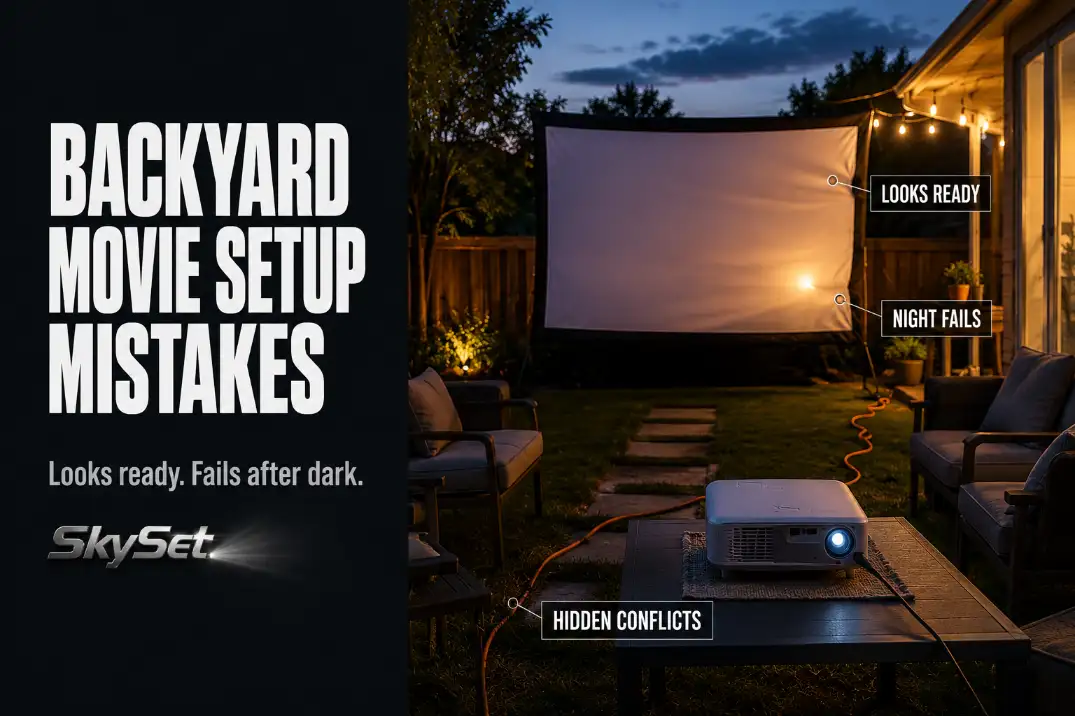
A backyard movie setup usually fails because one physical part of the layout is treated like a small detail when it is actually carrying the whole night. The first checks are not decorative.
Test the image at the real viewing time, watch the screen for 5–10 minutes in the actual evening breeze, listen from the farthest seat, walk the cable route in the dark, and confirm the movie source works from the projector location.
A 100-inch image that looks acceptable indoors can still look flat outdoors until 30–45 minutes after sunset. A screen that seems stable during setup can start shifting in a 5–10 mph breeze.
A cord that feels harmless in daylight can become the most dangerous part of the layout once guests start moving around with food and drinks.
The biggest misread is blaming the projector too early. Sometimes the projector is weak. More often, it is only revealing a layout problem: light hitting the screen, a screen surface that moves, sound that dies at the back row, an unsafe power route, seating that sits too far off-axis, or a stream that buffers from the yard.
Quick Check Before Guests Arrive
Test the night, not just the gear
Backyard movie setups should be tested under the same conditions guests will use. Turning the projector on at 6:30 p.m. does not prove much if the movie starts at 8:45 p.m.
The useful test is whether the picture, sound, screen, power route, and source still work once the yard is darker and people are actually moving through it.
Use this quick check before the first guest sits down:
- Can the image be seen clearly from the farthest seat without squinting?
- Does the screen stay still for 5–10 minutes without hand adjustment?
- Can quiet dialogue be heard from the back row without punishing the front row?
- Are all cords outside the main walking route?
- Is any porch, garage, window, or string light hitting the screen?
- Can the movie stream or play from the actual projector location without buffering?
- Is there a downloaded backup if Wi-Fi drops after guests arrive?
If two of these fail, do not start chasing menu settings. Fix the physical setup first. A poor yard layout can make good gear look cheap.
For a broader foundation before choosing projector, screen, power, and seating positions, the full Backyard Movie Night Setup guide is the better starting point.
Weak Image
The first problem is usually light, timing, or size
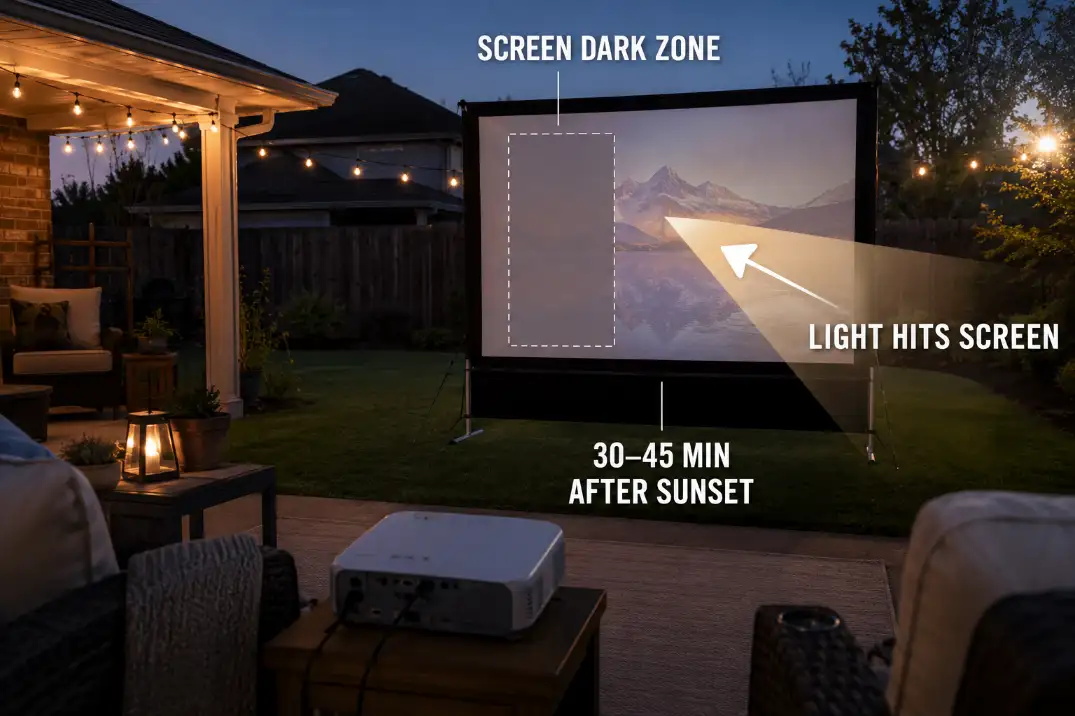
A weak image is the failure people notice first, but it is not always the first thing to buy your way out of. If the picture improves dramatically 30–45 minutes after sunset, the main issue is usually timing or light control, not necessarily projector quality.
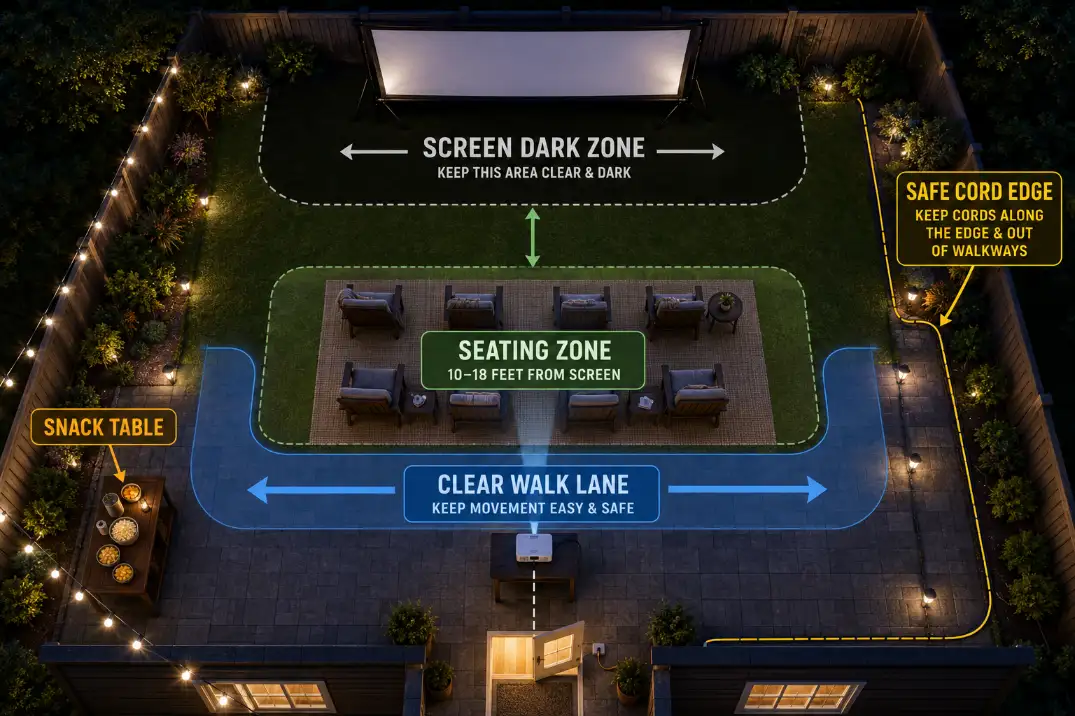
The screen area should be the darkest zone in the yard. A porch light, garage lantern, bright kitchen window, pool light, or visible string light can flatten contrast even when the projector itself is doing its job.
The symptom is a washed-out picture. The mechanism is light hitting the screen or forcing the viewer’s eyes to compete with brighter points nearby.
Bigger can make the picture worse
A common wasted fix is making the image larger because larger feels more cinematic. On a modest projector or a bright patio, that often makes the image dimmer. A crisp 80- to 100-inch image usually beats a weak 120-inch image.
If the picture looks gray or soft, reduce the image size by 10–20 percent and remove any light reaching the screen face. If it still looks flat after the screen zone is darker and the image is smaller, then brightness becomes a more serious projector problem.
Pro Tip: Test the same dark movie scene at two image sizes before blaming the projector. That quick comparison often reveals whether the problem is brightness or layout.
Moving Screen
A moving screen is a stability problem, not a focus problem
If faces, subtitles, or bright edges seem to shimmer during the movie, the projector may not be losing focus at all. The screen may simply be moving. Re-focusing does not fix a screen surface that ripples, leans, or twists.
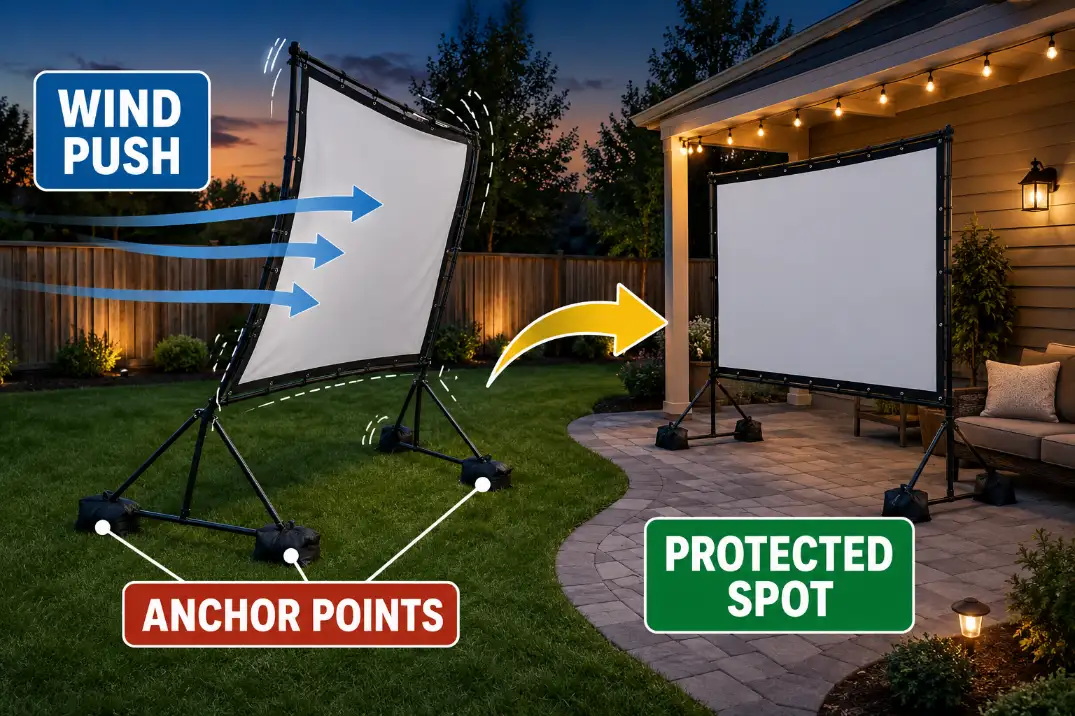
Lightweight screens behave like sails. A 5–10 mph breeze may feel mild to people sitting outside, but it can move fabric enough to become distracting.
This is one of the easiest mistakes to underestimate because the screen can look fine in a photo and still fail during the first act.
Clips help loose fabric, not a weak frame
Clips, tape, and clamps can help a flapping edge, but they do not solve a frame or base that shifts as a whole. If the entire screen moves when the wind hits it, the fix is anchoring, added weight, a better frame angle, or a more protected position near a fence, wall, or patio edge.
A routine fix stops making sense when the screen has to be touched more than once in the first 20 minutes. At that point, the setup is not almost stable. It is unstable enough to interrupt the night.
Bad Sound
The back row is the real sound test
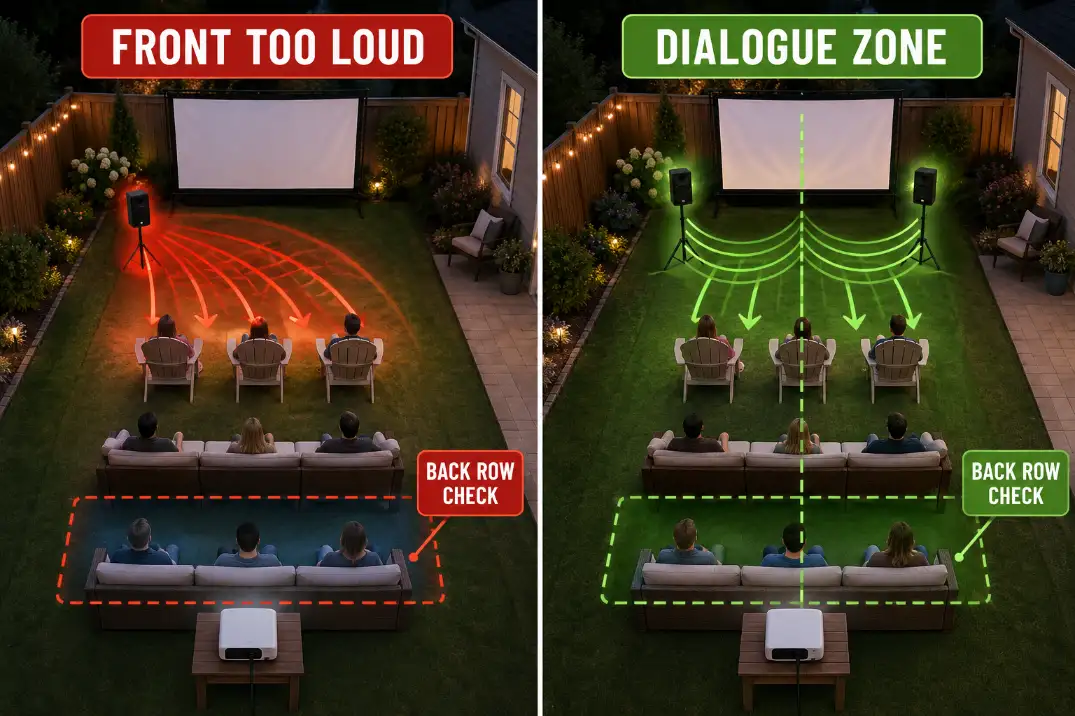
Backyard sound usually fails by coverage before it fails by volume. Built-in projector speakers may be acceptable for one or two people nearby, but they often collapse once the back row is 12–20 feet away. The front row hears harsh sound while the back row misses words.
That is the useful distinction: loudness near the projector is not the same thing as dialogue clarity at the seats. If the farthest seat cannot understand quiet speech, the sound system is not set up correctly.
One convenient speaker position can create two problems
Putting one speaker beside the projector feels logical because the cabling is easy. But if the projector is behind the seating area, the sound comes from the wrong direction. If a speaker is near the screen but pushed too far to one side, the nearest seats get blasted and the far seats lose clarity.
The better sound test is simple: stand at the farthest seat and play quiet dialogue, not an action scene. If normal speech is not clear there, fix speaker placement before turning the system louder.
Unsafe Cables
The safest route is usually not the shortest route
Unsafe cables can ruin the night faster than a weak picture because they create both trip risk and electrical risk. The shortest path from outlet to projector is often the wrong path if it cuts across the house door, snack table route, seating aisle, or kid path.
A cord across a 36-inch walking lane is not a minor inconvenience in the dark. It is a predictable trip point. Guests will step over it repeatedly, often while carrying drinks, blankets, or folding chairs.
Dry weather does not make indoor cords safe outdoors
Outdoor movie setups need outdoor-rated extension cords and a protected outdoor outlet. A dry forecast does not remove moisture from the situation. Grass, sprinklers, dew, wet shoes, and spilled drinks all change the risk.
If the setup needs multiple connected cords, a route across damp lawn, or a cable that guests must keep stepping over, the quick setup has stopped making sense. Move the projector, change the seating pattern, use a safer outlet path, or rethink the layout before movie time.
Too Much Light
The light that hits the screen matters most
Too much light is one of the most misunderstood movie-night problems. People overestimate how much projector brightness can overcome it, then underestimate how little light it takes to flatten contrast.
Not all backyard lighting is equally damaging. A small path light behind the seating area may be fine. A porch light hitting the screen from the side can ruin the picture.
A bright kitchen window behind the projector may feel unrelated, but if that glow reaches the screen surface, it becomes part of the image problem.
Pretty lighting can still hurt the movie
String lights often look great in photos and disappointing during playback. If visible bulbs sit between the viewer and the screen, the eye keeps readjusting to the brighter points instead of settling into the picture.
The answer is not total darkness. Total darkness makes walking, food, and cable safety worse. The better fix is controlled light: low path lighting, dimmed patio lighting, and screen-facing lights turned off or redirected.
Wrong Seating
Centered seats beat closer side seats
Wrong seating can make a decent setup feel restless even when the picture and sound are acceptable. A slightly farther centered seat is usually better than a closer side seat.
Once a chair is more than about 25–30 degrees off-center, the viewer starts watching from the side instead of relaxing into the movie.
For a casual 100-inch screen, the main seating zone often works better around 10–18 feet away than scattered far out to the sides. That is not a hard theater rule, but it usually gives a better balance of detail, comfort, and sightline control.
Leave room for movement
Backyard movie night is not a static seating chart. People get up for snacks, kids move around, someone heads back to the house, and chairs shift as the night goes on.
If every chair is packed tightly because the screen looks better that way, the setup may work for the first 15 minutes and then break down.
Keep at least one clear walking lane, and do not place chairs over cords, sprinkler heads, uneven pavers, damp grass, or narrow patio edges.
Which Mistake Is Most Likely Ruining the Night?
| Mistake | What You Notice First | More Likely Mechanism | Better First Fix |
|---|---|---|---|
| Weak image | Washed-out picture | Light spill, early start time, or oversized image | Darken the screen zone or reduce image size |
| Moving screen | Wavy faces or subtitles | Fabric or frame movement | Anchor the frame or move to a protected spot |
| Bad sound | Dialogue disappears | Speaker coverage misses the back row | Test from the farthest seat and reposition the speaker |
| Unsafe cables | Guests step over cords | Power route crosses traffic | Move cords to the edge or change the layout |
| Too much light | Flat contrast | Screen catches direct or competing light | Redirect or shut off screen-facing lights |
| Wrong seating | People keep shifting | Bad viewing angle or tight circulation | Recenter seats and protect one clear lane |
| Streaming failure | Movie buffers or stops | Weak outdoor Wi-Fi or untested source | Test outside and keep a downloaded backup |
Questions People Usually Ask
Should I buy a brighter projector first?
Not first. Test after sunset, reduce the image size, and remove screen-facing light before replacing the projector. A brighter projector helps only after the yard stops fighting the image.
How windy is too windy for an outdoor movie screen?
If the screen ripples, leans, or needs adjustment during a 5–10 minute test, the wind is already enough to affect viewing. The exact wind speed matters less than whether the screen surface stays flat.
Is one extension cord across the lawn okay?
Only if it is outdoor-rated, protected from moisture, and kept out of the main walking route. If guests have to step over it repeatedly, the route is wrong even if the cord itself is rated for outdoor use.
What is the most overlooked backyard movie mistake?
The movie source. A setup can have a good projector, stable screen, and decent speakers but still fail if the stream buffers from the projector location. Test the actual movie outside before guests arrive.
Final Takeaway
The best backyard movie setup is not the one with the most gear. It is the one where the image, screen, sound, power, lighting, seating, and source stop fighting each other.
Fix the physical failures first: light on the screen, screen movement, unsafe cable paths, weak dialogue coverage, bad sightlines, and untested streaming. Once those are controlled, better gear actually has a chance to matter.
For official extension cord safety guidance, see the U.S. Consumer Product Safety Commission.