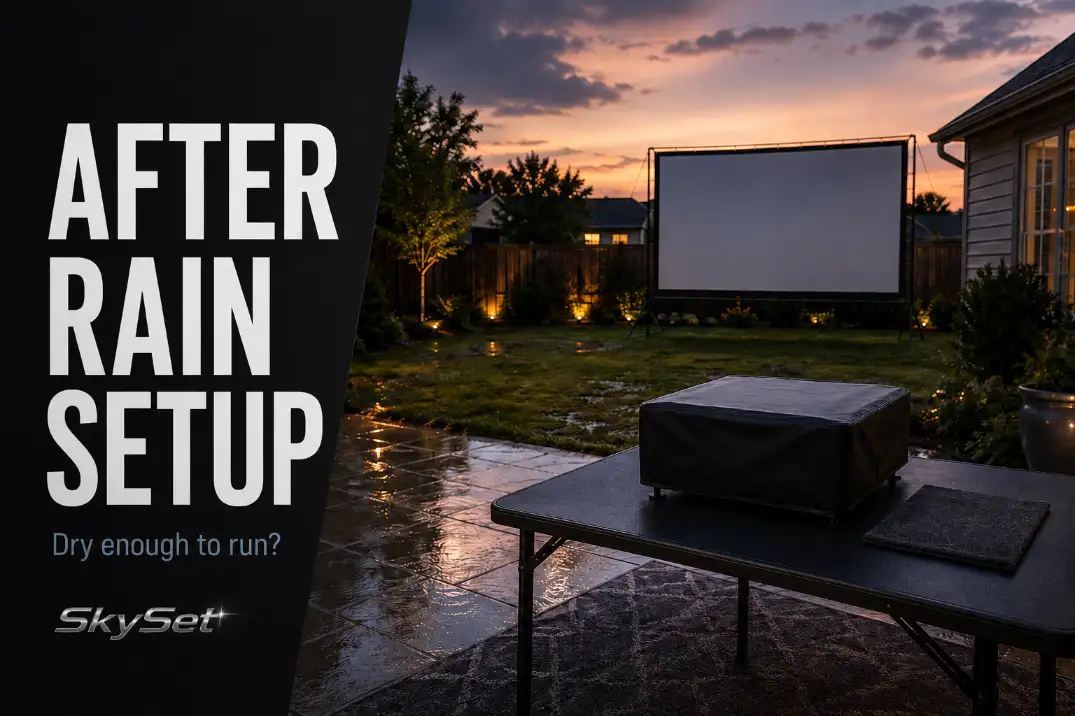
Rain does not automatically cancel a backyard movie night. It does change the order of decisions.
The mistake is bringing the projector outside first and then trying to solve the wet parts around it. Once the screen is up, chairs are placed, and cords are half-routed, homeowners often start accepting compromises they would have rejected five minutes earlier: a cord crossing damp grass, a screen hem touching a wet patio edge, or a projector table that is dry on top but sitting in a splash zone.
After rain, “dry enough” is not one condition. The ground can pass while the power route fails. The patio can look usable while the screen hem is still damp. The sky can be clear while the projector position is still too close to roof drip or wet traffic.
Use the sequence below as a go/no-go setup order: ground first, power second, screen third, smaller devices fourth, projector last. If one stage fails, adjust before moving forward.
Check the Ground Before Setting Gear
The first decision is not where the projector goes. It is whether the setup area can carry gear, cords, seating, and foot traffic without forcing the rest of the night through damp zones.
A backyard can look usable from the patio door while still failing the field check. Wet grass may hold footprints. Patio seams may still collect water. A deck can stay slick in shaded corners after the rest of the space looks dry. If you place the screen legs, projector stand, or speaker table first, you may not notice the problem until the setup has already started locking itself into the wrong location.
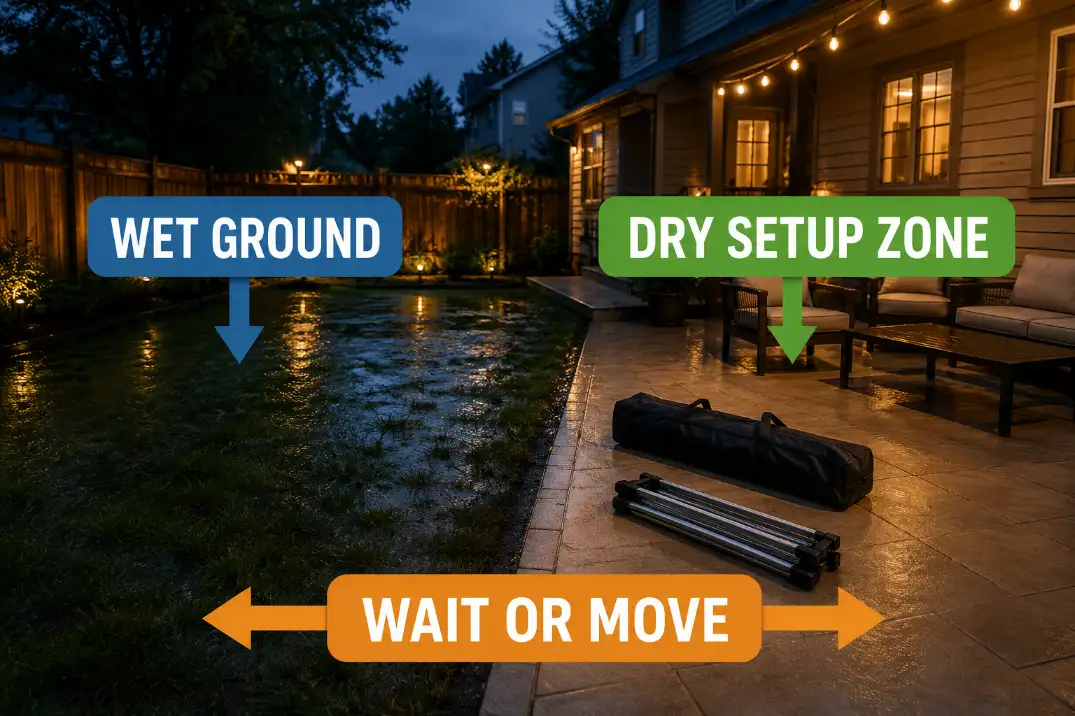
Walk the actual setup path before carrying gear out. Look at the route from the house to the screen, the projector position, the seating area, and the place where cords would naturally run. You are checking whether the movie night has a dry working zone, not whether the whole backyard is perfect.
A dry patio edge may be usable even if the lawn is still damp. A soft lawn may still be fine for chairs but not stable enough for screen legs. A deck may work for seating but still be too slick for a projector stand near the steps.
The ground passes only when the main gear can sit on stable, dry, level support without pushing cords or people through wet traffic areas.
If that condition is not there, move the setup before unpacking. Shift the screen toward a dry patio section, use a smaller viewing layout, or delay the setup until the ground has firmed up. This is the point where changing the layout is still easy.
A useful field check is the stand test. Before placing the projector or screen, press lightly on the area where a table, tripod, or screen foot would sit. If the surface shifts, sinks, slides, or leaves wet marks, that spot is not ready for sensitive gear. The problem is not just moisture; it is stability.
This also protects the flow of the night. Wet ground near the walking route turns every snack run, bathroom trip, and kid crossing into a chance to kick mud, drag water toward cords, or bump a stand. For the full layout beyond wet-weather readiness, the broader backyard movie night setup guide can handle screen position, seating, and viewing flow.
Keep Power Connections Off Wet Surfaces
Power is the first hard stop after the ground check. If the only available cord route crosses damp grass, a puddled patio seam, or a wet door threshold, the setup should change before the screen goes up.
Outdoor-rated extension cords and GFCI-protected outlets matter, but they are not a license to place connections on wet surfaces. The Electrical Safety Foundation International advises using outdoor cords outdoors and plugging into a GFCI-protected outlet for outdoor use. That guidance supports the same practical rule for this setup: connections should not sit on wet surfaces.
For a backyard movie night, inspect the connection points before the full route:
- where the cord leaves the outlet
- where an extension cord meets another cord or device
- where a power strip or adapter would sit
- where the cord crosses a walking route
- where the cord reaches the projector table
Those points should stay dry, raised, visible, and away from puddles or wet grass. If a connection has to sit on the ground to make the layout work, the layout does not pass.
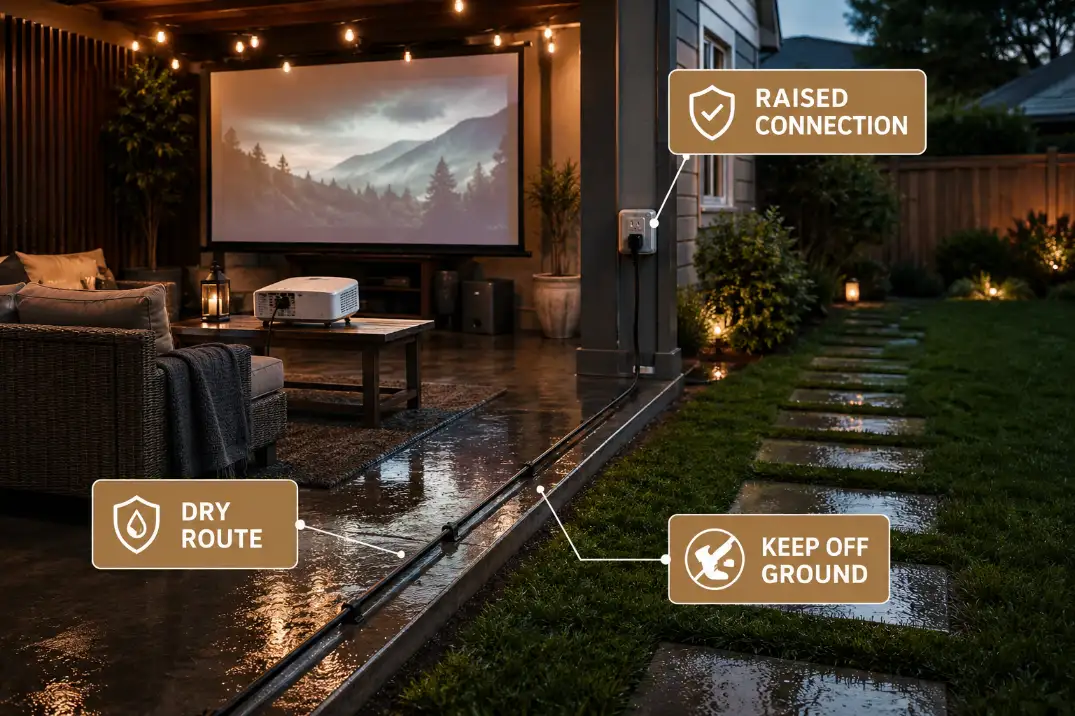
The cleaner route is usually along a dry patio edge, fence edge, or wall line where no one needs to walk. A weatherproof cable-management plan may help in more permanent setups, but after rain the immediate decision is narrower: can the temporary cord route stay dry and out of the traffic path? For deeper routing problems, use outdoor AV cable routes around walking paths as the support page.
Setup judgment: If you have to lift cords over wet spots, dodge puddles, or hide connections under chairs to make the movie happen, stop and reset the layout. A dry-looking projector image is not worth a bad power route.
POST-RAIN POWER SUPPORT
Outdoor-rated extension cords and low-profile cord covers can help organize a dry route when the surface already passes.
They should support a safe layout, not rescue a wet one.
SHOP outdoor-rated extension cord and cord cover categories
Let the Screen Dry Before Tensioning
The screen should not be tightened just because it can stand upright. After rain, tension is a finishing step, not a drying method.
A damp screen can look acceptable from a distance. The problem appears when you pull it tight. Moisture along the bottom hem, side straps, sleeve, frame contact points, or folded fabric can create uneven pull. That turns into sag, wrinkles, soft corners, or a screen that refuses to sit flat once the projector starts.
Do not judge only the center of the screen. The bottom edge usually matters most after rain. It may have touched wet grass, rested near a damp patio, or stayed folded while moisture sat inside the fabric layers.
For portable screens, check three areas before tensioning:
- the fabric face
- the bottom hem or sleeve
- the legs, stakes, frame, or contact points near the ground
If the fabric is still damp, wait before pulling it tight. If the frame feet are sitting in wet grass, move the screen to a drier zone before adjusting straps. If the screen was stored damp from a previous night, do not treat the current weather as the only issue.
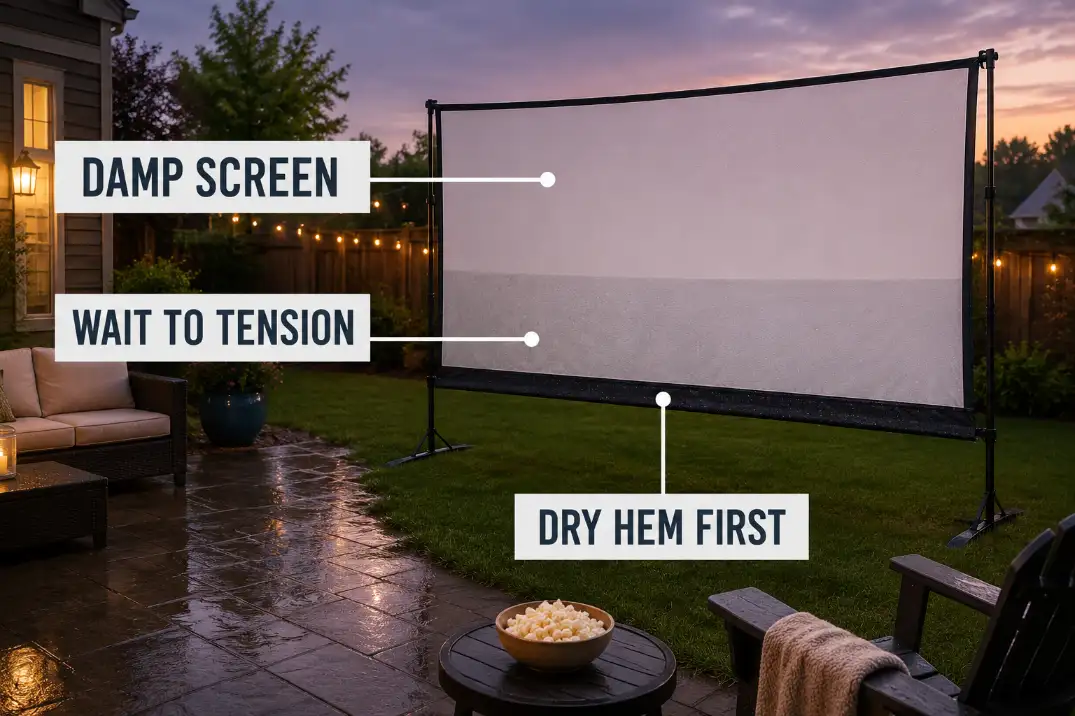
The common mistake is treating tension as the fix for wrinkles. After rain, tension should come after drying, not before it. Pulling harder on a damp screen can lock in uneven fabric behavior and make the image look worse once the projector starts.
For more detailed wrinkle prevention, the supporting article on preventing wrinkles in outdoor projector screens is the better place to go deeper. Here, the decision is simpler: if the fabric or hem is still damp, do not tension it yet.
Protect Speakers and Streaming Devices
Small devices need their own dry plan before the projector comes outside. They are often the pieces that get placed casually because they seem less important than the screen or projector.
That is how a Bluetooth speaker ends up on a damp patio table, a streaming adapter lands near the ground, or a phone and remote sit on a chair cushion that still holds rainwater. The setup may look organized from the screen side while the accessory side is actually the weakest part of the night.
After rain, every small device needs a dry, stable position before the movie starts. That includes speakers, streaming devices, remotes, phones, laptops, HDMI adapters, charging blocks, and small media boxes.
A Bluetooth speaker near the seating area can be useful after rain because it may reduce long audio cable runs. But it still needs a dry surface. Avoid setting speakers directly on wet grass, damp deck boards, soft cushions, or the exposed edge of a patio table where water can drip from above or splash from below.
Streaming devices need the same caution. A streaming stick may plug into the projector, but its power adapter, cable, remote, and nearby phone often end up somewhere else. That “somewhere else” should not be a wet chair arm, a damp side table, or the ground under the projector stand.
Do not overcorrect by stuffing electronics into sealed boxes while they are running. A covered surface, dry shelf, or protected table position is usually more practical than trapping heat or blocking wireless signals inside a container. The right move is a dry placement zone, not a hidden device pile.
For sound-specific choices, route deeper into Bluetooth speakers vs outdoor speaker systems for backyard movies after the rain-readiness decision is already made.
Watch for Moisture Around the Projector
The projector should be the last major item to come outside. If the ground, power route, screen, or accessory zone fails, keeping the projector indoors prevents needless exposure while the rest of the setup is still being moved.
When the earlier steps pass, check the projector position before powering on. Look at the table, stand, shelf, or cart first. It should be dry, flat, stable, and away from roof drip lines, wet branches, sprinkler overspray, and splash from nearby foot traffic.
Then check the projector itself:
- casing surface
- lens area
- vents
- underside
- cable entry points
- power adapter area
- remote or control surface
Visible moisture near vents, the lens area, the casing, or cable connections is a stop sign. A cover can help during storage or brief protection, but it should not become a reason to run the projector in damp exposure. Projectors still need airflow, clear vents, and a dry operating position.
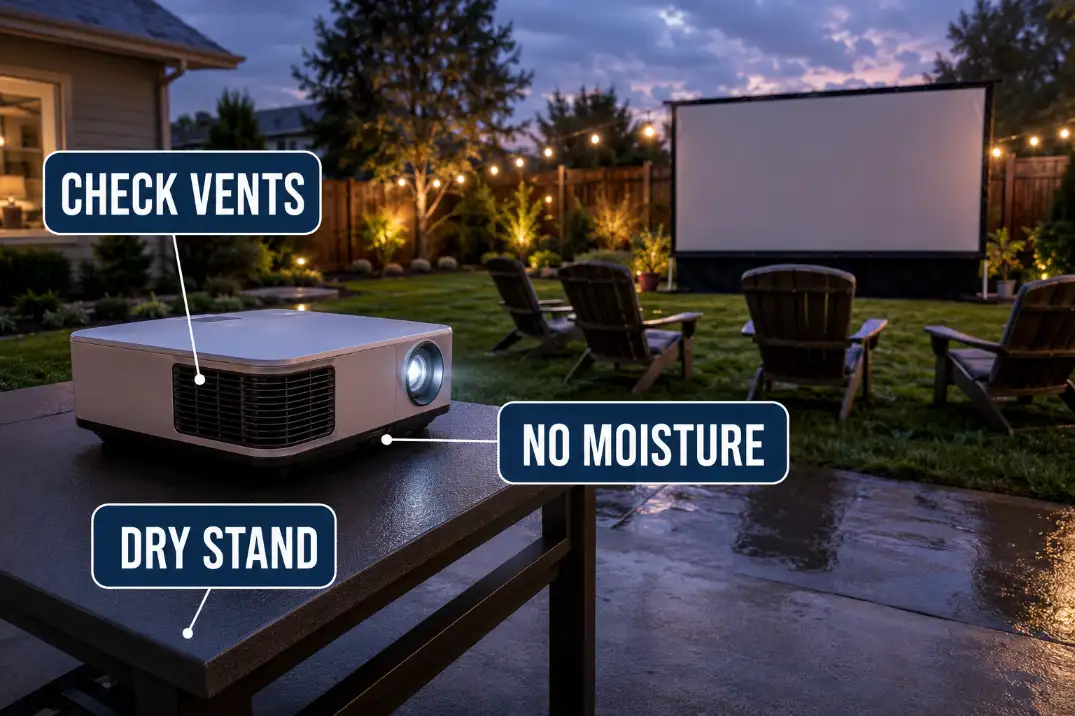
This is also the point to judge the projector’s viewing path. After rain, homeowners sometimes move the projector to the only dry table available, then accept a poor angle, a cord across the patio, or a stand too close to foot traffic. If the dry position creates a bad beam path or a risky walking route, adjust the setup before turning anything on.
For placement-specific issues, use outdoor projector placement problems as the deeper support article. This post-rain step is only asking whether the projector has a dry, stable, sensible place to operate.
A small go/no-go matrix can keep the final decision grounded:
| Condition | Continue | Wait or Move |
|---|---|---|
| Ground | Dry, firm gear zone | Soft grass, puddles, muddy traffic |
| Power route | Dry, raised, visible connections | Connections near wet surfaces |
| Screen | Dry fabric and hem | Damp hem, sag, wet frame feet |
| Projector area | Dry stand, vents, casing, cables | Visible moisture or splash risk |
When to Cancel the Movie Night
Cancel when one required condition cannot pass without a workaround. A post-rain setup should not depend on balancing cords above wet spots, hiding adapters under chairs, or hoping a damp screen will flatten once the movie starts.
The most obvious stop is a wet power route, but it is not the only one. Cancel or delay when power connections cannot stay dry and off the ground. Cancel when the only projector position is on a damp table, near a roof drip line, or in a splash zone. Cancel when the screen fabric or bottom hem is too damp to tension cleanly. Cancel when the seating path pushes guests through wet grass near cords or gear.
Also judge the weather pattern, not just the current sky. A clear gap between showers may look tempting, but continued drizzle, fresh rain risk, or rising evening moisture can undo the setup while people are already seated. The darker it gets, the harder it becomes to see wet spots, cord paths, and small device placement mistakes.
A practical alternative is to shrink the setup instead of forcing the full version. Use a smaller dry patio zone, move the speaker closer to viewers, skip the full screen if it cannot dry properly, or move the movie indoors. For family nights, the better win may be protecting the gear and keeping the next outdoor setup clean instead of pushing one damp evening too far.
The right after-rain setup is not the one that uses every piece of equipment. It is the one where each stage earns the next: dry enough ground, dry enough power route, dry enough screen, protected small devices, and a projector position that does not rely on luck.