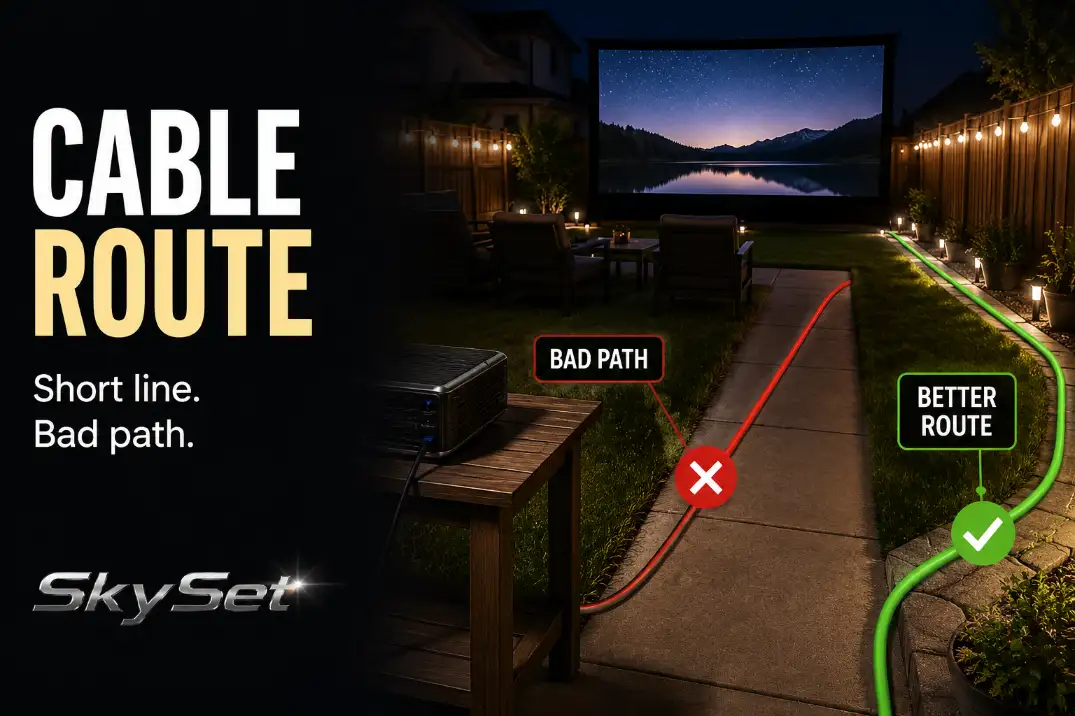
A backyard movie setup can look finished until one cable cuts across the exact path everyone uses after dark. The projector works, the screen is straight, the seats are ready, and then someone has to step over a cord every time they walk from the house to the chairs.
That is the wrong starting point.
The real question is not, “How do I hide this cable?” It is, “Where can this cable live without becoming part of the walking path?” For outdoor AV, the safest route is usually not the straightest line from outlet to projector or speaker.
It is the route that stays out of the way of feet, chair legs, doors, snacks, pets, and wet ground.
That means the cable plan starts with movement, not equipment.
Start With the Main Walking Path
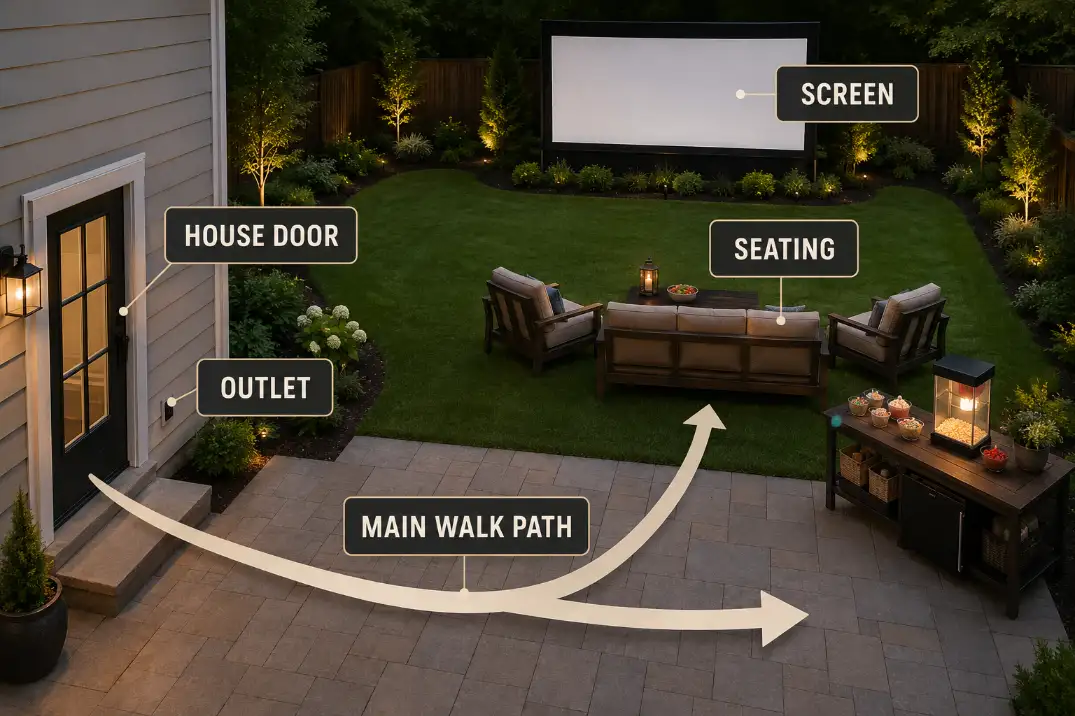
Before you run any AV cable, stand where people enter the movie area and trace the route they will actually use. That usually starts at the back door, sliding door, garage door, or patio step. From there, people move toward the seating area, then back toward the house for drinks, food, blankets, or the bathroom.
That path matters more than the shortest distance between the outlet and the projector.
A cable that crosses the house-to-seating route is a problem even if it looks flat in daylight. Once the movie starts, the patio is darker, people are looking at the screen, and small cable rises become harder to notice. A thin HDMI cable, speaker wire, or power cord does not need to be tall to catch a shoe.
Look for four movement lines before choosing the route:
- House to seating
- Seating to snacks or cooler
- Seating to screen or projector
- Patio to lawn or side yard
The cable should not cross the main version of any of those paths unless there is no realistic edge route. If your wider setup still feels unsettled, the cable plan should be checked alongside the full backyard theater planning checklist rather than treated as a last-minute detail.
If people have to step over the same cable more than once during normal movement, the route is already wrong. Do not solve that by warning everyone. Solve it by moving the cable.
Keep Cables Along Fence and Patio Edges
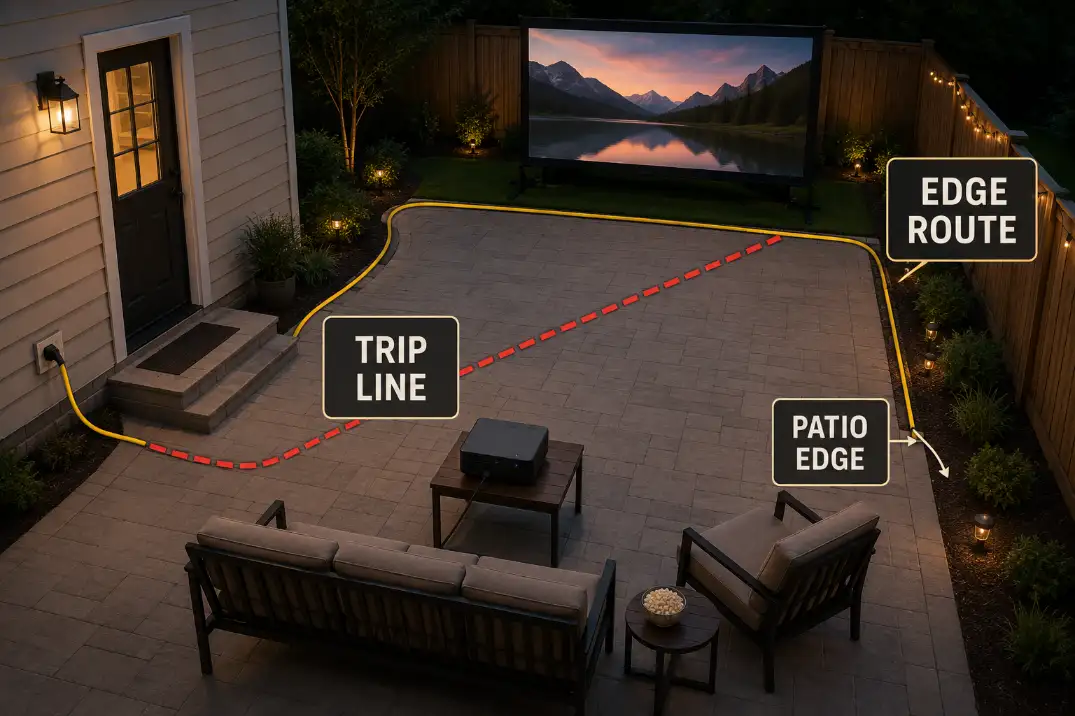
After the walking path is clear, look for edges. Fence lines, patio borders, deck edges, walls, furniture backs, and side-yard strips are usually better cable routes than the open middle of the space.
An edge route may take more cable. That does not make it worse. A longer line along the patio border is often safer than a short diagonal shortcut through the usable area. The diagonal route looks efficient from above, but people do not move like a floor plan. They cut through gaps, step around chairs, carry plates, and walk without looking down.
Good outdoor AV cable routes often follow:
- The back wall of the house
- A fence line behind the seating area
- The outside edge of a patio slab
- The rear side of a sofa, bench, or sectional
- The side of a deck instead of the middle boards
- A low-traffic strip between the patio and planting bed
The edge should still make sense for the equipment. Do not route the cable so tightly that it pulls on the projector, speaker, or streaming device. A little slack near the equipment is useful, but extra slack should not loop into a walkway.
This is where cable management becomes a layout choice, not a neatness trick. A visible cable along a patio edge is often better than a hidden cable that crosses the path from the kitchen door to the seats.
For setups that need a more weather-aware cable plan, weatherproof cable management for outdoor AV should support the route decision instead of replacing it.
The best edge route lets guests move normally without noticing the cable at all. If the route only works because everyone has to remember where the cord is, it is not really working.
Avoid Doorway and Seating Crossings
Doorways and seating areas are the two places where short cable routes usually fail.
A cable across a sliding door track, back door threshold, or garage entry may seem harmless when the door is open and the setup is empty. During the movie, that same spot becomes a repeated crossing point. People come in and out. Someone carries popcorn. A child runs back for a blanket. A door edge or threshold can also pinch, drag, or shift the cable.
Treat doorways as no-cross zones whenever possible.
Seating gaps need the same respect. Outdoor movie seating is rarely fixed like a theater. Chairs get pulled back. Blankets spread wider. Side tables move. Coolers shift closer. People step between seats instead of walking around the full row.
A cable that runs behind a chair can be acceptable if it stays behind the chair movement zone. A cable that runs between two chairs is different. That gap becomes a foot path the moment someone stands up.
This matters even more when projector placement is already tight. If the projector has to sit behind or beside the seating area, make sure the cable route does not create a second problem while solving the image path.
The placement logic in outdoor projector placement problems can help keep the projector aligned without forcing the cord through the seating lane.
The rule is simple: a cable along a visible edge is usually less disruptive than a cable through a doorway or seating gap. Do not let “shorter” win over “out of the way.”
Use Covers Only Where People Step
Cable covers are useful, but they are not permission to run a cord through the middle of the patio.
Use a cover where a crossing is short, unavoidable, and easy to see. For example, a cable may need to cross a narrow strip between the patio edge and the projector table. That is different from running a covered cord diagonally across the full walking route from the house to the seats.
A low-profile outdoor-rated cover can help protect a short step point. It can make the crossing more visible, keep the cable from shifting, and reduce the loose-cord feel. But it still creates a raised line. If that raised line sits where people walk all night, it is still a layout problem.
Think of a cover as a last short bridge, not the main road.
Route decision matrix
- Repeated main-path crossing: reroute along an edge instead of covering it.
- One short unavoidable crossing: use a visible low-profile cover.
- Door swing or chair-leg conflict: reject the route and move the cable.
- Loose loop near equipment: shorten the slack or move the equipment closer to the edge.
The common mistake is using a cable cover to make a bad route feel acceptable. A covered cord through the main path may look more intentional, but guests still have to step over it. The better fix is to move the route until the crossing is short, rare, and obvious.
Keep Connections Away From Wet Zones
A clean edge route can still fail if the connection point ends up in the wrong place.
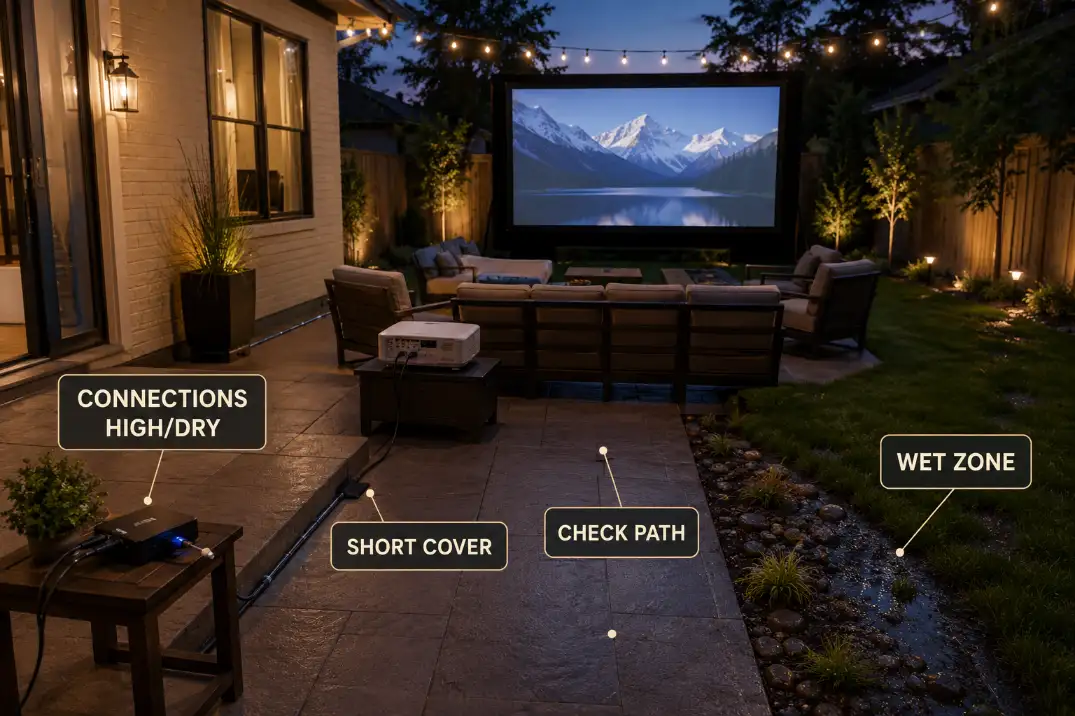
Pay attention to where plugs, adapters, power strips, HDMI couplers, and speaker connections sit at the end of the route. The cable may follow the patio edge neatly, then stop in a low corner where water collects, sprinkler spray reaches, or drinks sit on a side table. That is not a good finish.
Avoid connection points near:
- Wet grass at the edge of the patio
- Sprinkler spray zones
- Hose paths
- Low patio corners where water collects
- Planter runoff
- Pool splash areas
- Cooler or drink-table spill zones
This section should not replace a real electrical safety plan. Outdoor power has its own rules, ratings, and protection needs. But from a route-planning perspective, the key decision is clear: do not let the cable path end in a wet or splash-prone spot just because the route looked tidy.
If power access is part of the problem, check the route against the larger hazards in backyard projector power setup and cable hazards before you settle on the final layout.
A dry connection point is usually slightly raised, set back from foot traffic, and away from drink tables. It should not be under a chair, beside a cooler, or at the lowest point of the patio. If you have to choose between a neater-looking route and a drier, less exposed connection point, choose the drier point.
Do a Walk-Through Before Dark
The final test is not whether the cable reaches. It is whether the route still works when people move through the space.
Do the walk-through after the screen, projector, speakers, chairs, blankets, tables, and cooler are in their real positions. A route that looks safe before furniture arrives may fail once chairs are pulled back or a side table blocks the edge path.
Walk the house-to-seat path first. Then walk from the seats to the snack area. Step around the chairs the way a guest would. Move one chair back as if someone is standing up. Check whether a child, pet, or guest carrying food would naturally cross the cable.
Then look at the route again from eye level, not just from above. A cable may be obvious when you are planning it, but nearly invisible to someone arriving after sunset.
Pre-dark cable route check
- Walk from the house door to the seating area without stepping over a cable.
- Pull chairs back and check that legs do not pinch or drag the route.
- Confirm any covered crossing is short, visible, and unavoidable.
- Keep plugs, adapters, and couplers away from wet grass, runoff, and drink zones.
- Remove loose loops near the projector, speaker, or side table.
- Check whether a guest could understand the path without being warned.
Once the route follows edges, avoids doorway and seating conflicts, protects only the short crossings that cannot be avoided, keeps connections away from wet zones, and passes a walk-through before dark, the setup feels cleaner without needing a complicated cable system.
For broader electrical safety guidance, see ESFI’s Extension Cord Safety Tips.