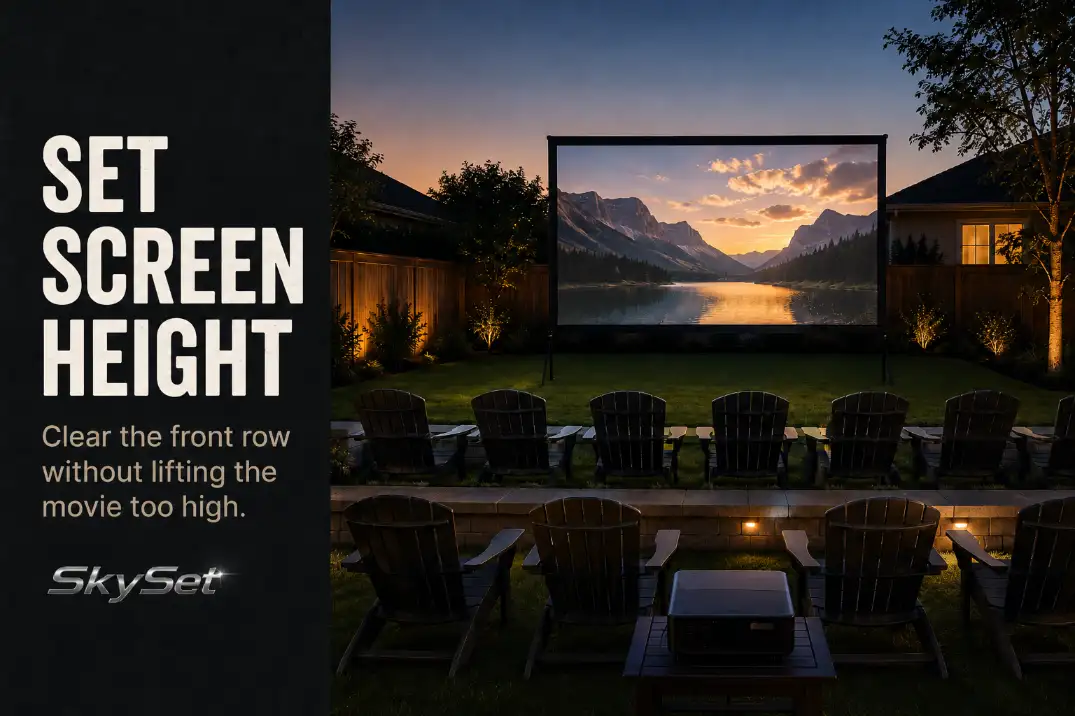
Screen height is not just a mounting height. It is a sightline compromise between the lowest part of the picture, the front row’s heads, and the main row’s comfort.
A screen can look perfectly placed while the yard is empty. Then the chairs go down, kids sit on blankets, adults settle into the second row, and the bottom of the image disappears behind shoulders. The opposite mistake is just as common: the screen gets lifted high enough to clear everyone, but the main row has to look upward for the whole movie.
The useful decision starts from seated eye level, not from the screen stand, fence rail, or wall surface. Set the bottom edge first, then adjust for chair height, slope, mixed kids-and-adults seating, and one final night test from the actual seats.
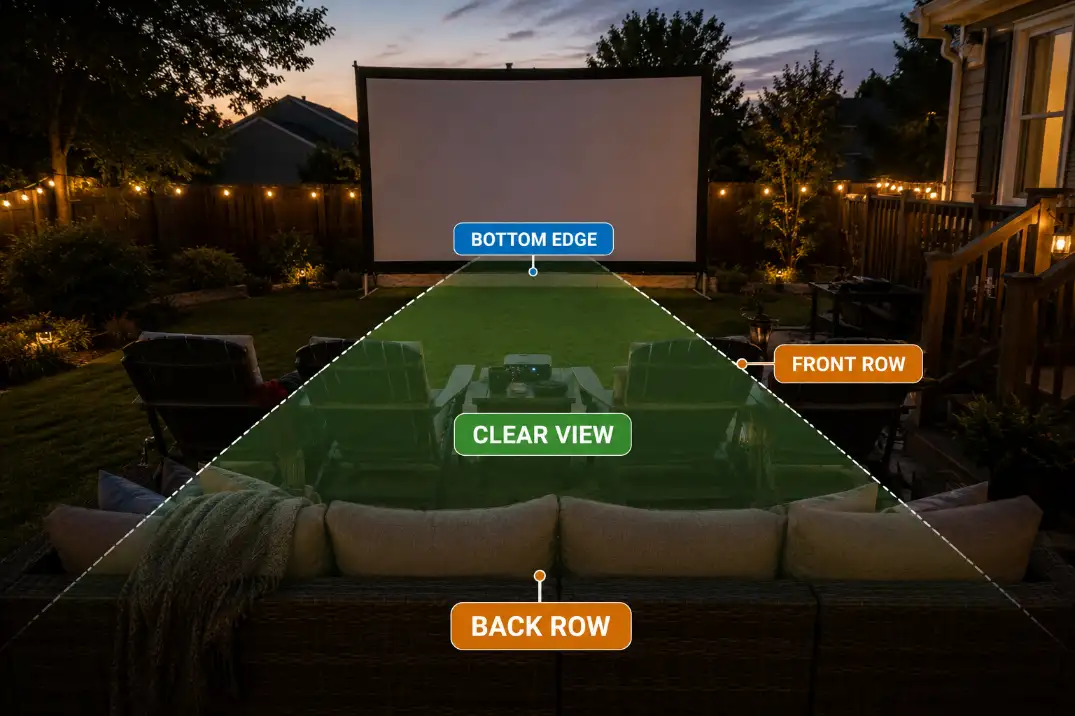
Set the Bottom Edge Above the Front Row
Set the bottom edge by the seat that has to look through another seat. In most backyard layouts, that means checking whether the second row can see the lower part of the picture over the front row.
If the screen starts too close to the ground, the front row’s heads, shoulders, and chair backs can cut across subtitles, faces, sports scores, lower action, and any scene detail near the bottom of the frame. That problem is more noticeable outdoors because rows are often flatter than theater seating.
For many casual backyard setups, a bottom edge around 24 to 36 inches above the grass, patio, or deck can be a starting reference. Treat that as a first placement point, not a universal rule. Low lounge chairs may allow a lower screen. Upright patio chairs, tight rows, and taller adults in front may require more clearance.
The fastest field check is to sit where the second row will be and look through the front row toward the lower third of the screen. If the lower edge disappears behind people or chair backs, the screen is too low for that layout.
This is also where screen height and screen size separate. A bigger screen does not fix a blocked bottom edge by itself. If the screen size is still undecided, handle that as a different choice from choosing the right backyard movie screen size.
Match Screen Height to Chair Height
Place the chairs before judging the screen. Chair height is the hidden variable that changes whether a screen feels low, comfortable, or too high.
Low camping chairs and lounge chairs keep the viewer closer to the ground. That can let the bottom edge sit lower, especially when viewers are in one loose row. Upright patio chairs raise both the seated eye line and the obstruction for anyone behind them. Benches are less predictable because people shift, lean, and sit at different heights across the same row.
Blankets and floor cushions create the lowest sightline. They usually work best in front, where kids can sit close without blocking adults behind them. But the screen should not be lowered only for blanket seating if adult rows lose the bottom of the image.
| Seating condition | Screen-height starting logic | Watch for |
|---|---|---|
| Low camping or lounge chairs | Bottom edge can often stay closer to the lower end of the range | Back-row view if rows are close |
| Upright patio chairs | Raise the bottom edge enough to clear chair backs and shoulders | Screen becoming too high for the main row |
| Benches or mixed chairs | Test from several actual seats, not one center seat | Uneven head heights across the row |
| Kids on blankets in front | Keep kids low and close while adults sit behind | Lowering the screen too much for adults |
For seating-specific spacing, keep this screen-height check separate from the wider outdoor movie seating layout. Seating layout decides where people sit; screen height decides what those seats can see.
Avoid Neck Strain From a High Screen
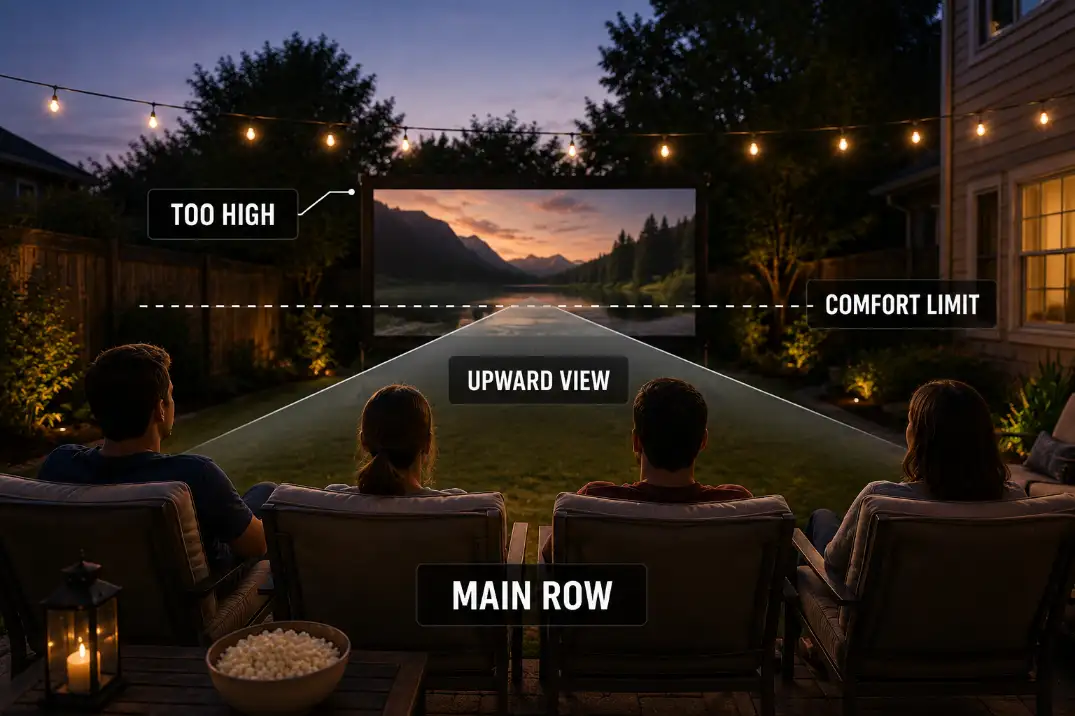
Do not solve a low screen by raising it until no one can possibly block it. That clears the front row, but it can make the main row feel like it is sitting too close to the front of an indoor theater.
The warning sign is not a single upward glance. It is having to keep the chin lifted through the movie. A slightly elevated outdoor screen can feel natural, especially with reclining chairs. A screen that keeps the center of the image above the relaxed viewing line becomes tiring.
The center of the image should feel easy from the main seating zone. If the bottom edge is visible but the main row’s natural gaze lands below the picture, the screen may be too high or the chairs may be too close. Moving the main row back can sometimes protect comfort better than lowering the screen and bringing back front-row blockage.
Quick judgment: prioritize the row where people will spend most of the movie. The front row needs to avoid blocking the image, but the main viewing row is where the screen should feel most natural.
Adjust for Sloped Yards
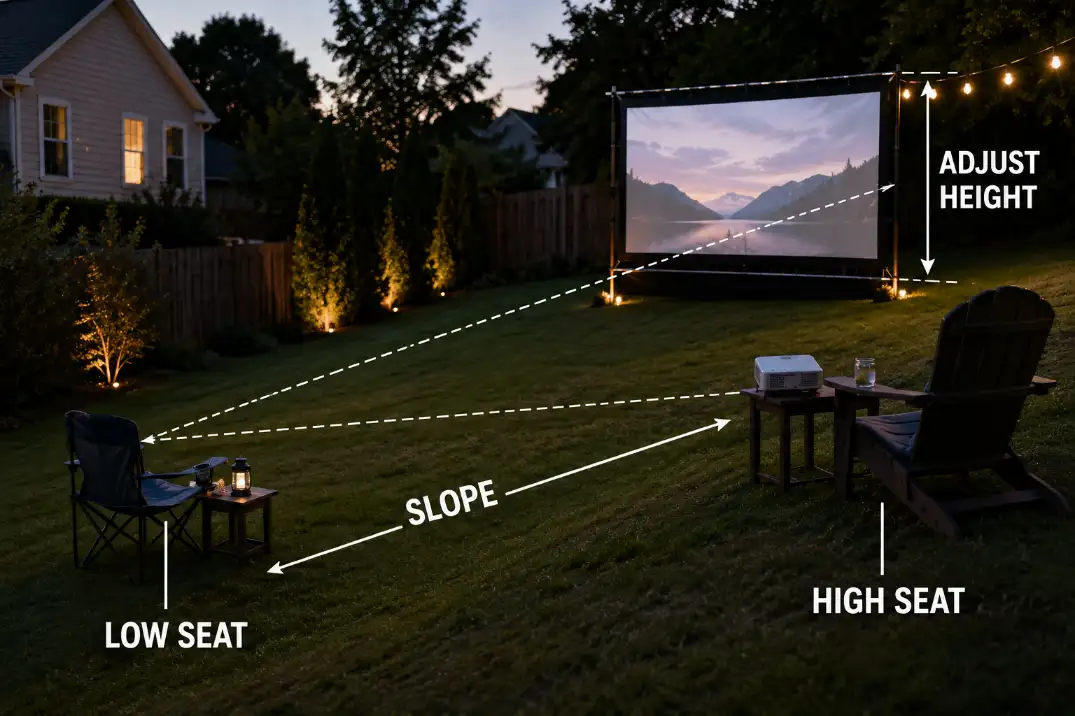
A sloped yard can either help the sightline or make the height problem worse. The screen should be checked from the high and low seating points before you adjust it from the center of the yard.
If the audience sits uphill from the screen, the back row may naturally see over the front row. In that layout, the screen may not need as much bottom-edge height as it would on flat ground. Raising it too much can make the whole image feel unnecessarily high.
If the audience sits downhill from the screen, the screen can feel taller and farther above the viewer. The front row may still interfere depending on row spacing, but the main comfort risk shifts toward an upward viewing angle.
The practical test is simple: check the screen from the lowest seat, the highest seat, and the main seating row. If those three positions all work, the slope is probably helping the layout. If only one position works, adjust the screen height or shift the rows before changing projector placement.
Keep Kids and Adults in the Same View Line
The cleanest family layout usually puts the lowest viewers closest to the screen. Kids on blankets, floor cushions, or low chairs can sit in front without becoming a visual wall for adults behind them.
The mistake is setting the screen for only one group. If the screen is lowered for kids on the ground, adults behind them may lose the lower part of the picture. If it is raised for adults in tall chairs, kids near the front may have to look up too much.
Choose the main viewing row first. In many backyard layouts, that means adults in the central chairs, with kids lower and closer. The screen bottom edge should clear the front seating zone, but the center of the image should still feel relaxed from the main row.
If the night is built around younger kids, use this height check alongside the broader backyard movie night family setup so the front zone, walking paths, and adult seating do not fight each other.
Do a Night Viewing Test
Only a dark-yard test proves the height. Daylight, an empty lawn, or a blank screen can hide the exact problems that show up once people sit down and the movie starts.
Put the chairs, blankets, and screen where they will actually be used. Turn on a real movie frame or a bright scene with detail near the bottom of the image. Then check the view from the front row, the main row, the back row, and any kid seating area.
Use this compact test before guests arrive:
- Can the back row see the lower third of the image over the front row?
- Does the main row look naturally toward the center of the screen?
- Are kids close enough to see without forcing adults to raise the screen too high?
- Does the slope make any seat feel unusually low or high?
- Does the image still read clearly after nearby lights are on?
That last point matters because height and visibility meet at night. A screen can sit at the right height and still lose contrast if a patio light hits it directly, so the final test should include the actual lighting conditions or a check for keeping the outdoor movie screen away from patio lights.
Screen height is right when the front row does not block the picture and the main row does not have to crane upward. Start with the seated sightline, adjust for chair height and slope, then confirm it in the dark from the seats people will actually use.
For general screen-viewing comfort context, Cornell University’s ergonomics guidance also emphasizes placing screens where viewers are not forced to tilt the head up or bend the neck down: CUergo Computer Workstation Ergonomics Guidelines.