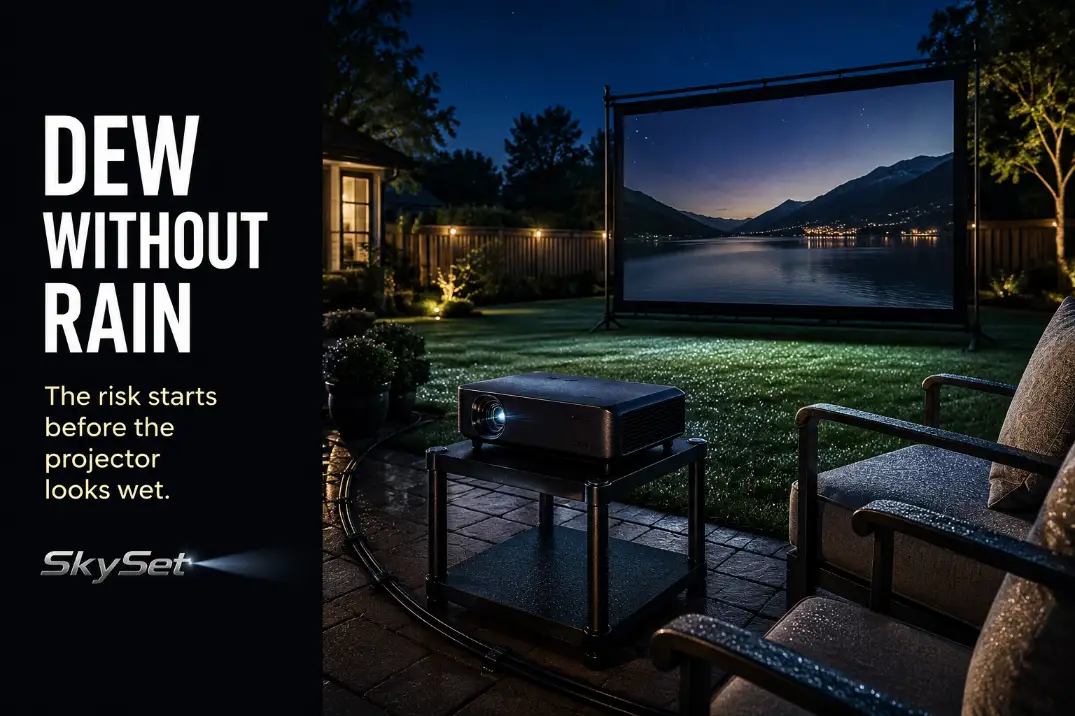
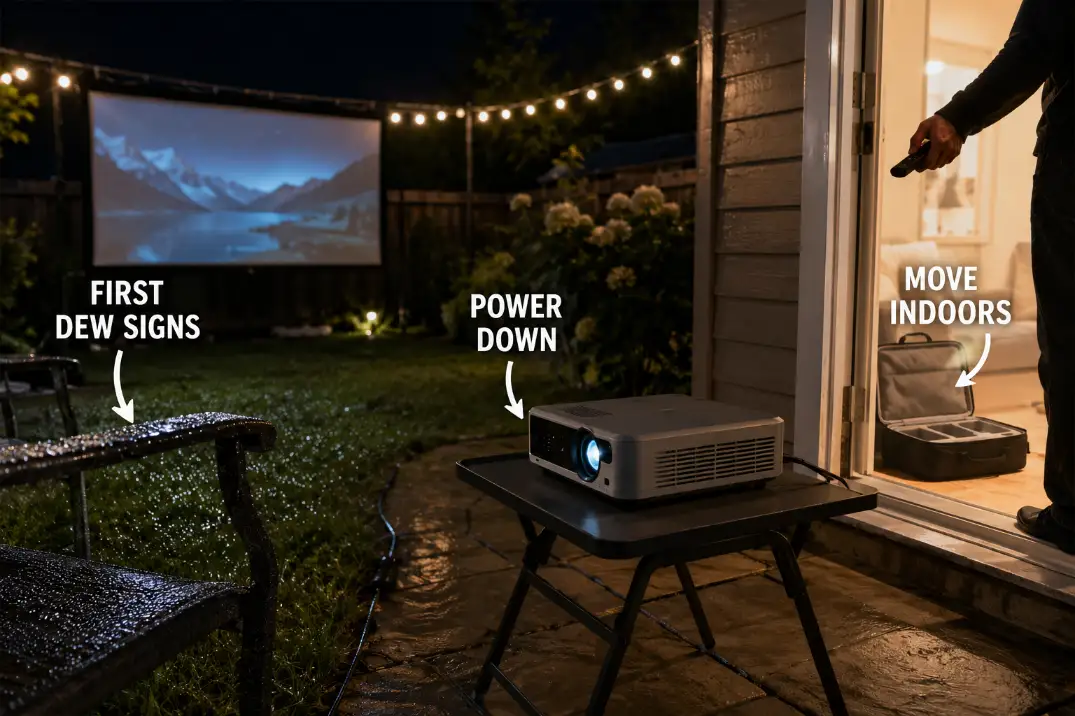
The practical mistake is treating the projector as the first surface that confirms dew has arrived. By that point, the prevention window may already be closing.
A backyard can be dry when the movie starts and noticeably damp before the closing credits. Grass begins holding moisture, chair arms feel slick, and a sheen appears on railings or table edges even though no rain has fallen.
The useful rule is simple: watch the surfaces around the projector, not just the projected image. Keep the unit on a dry, stable, ventilated support and bring it indoors while it is still dry. A canopy may reduce direct exposure, but no loose cover, tote, or patio roof turns an indoor projector into weatherproof equipment.
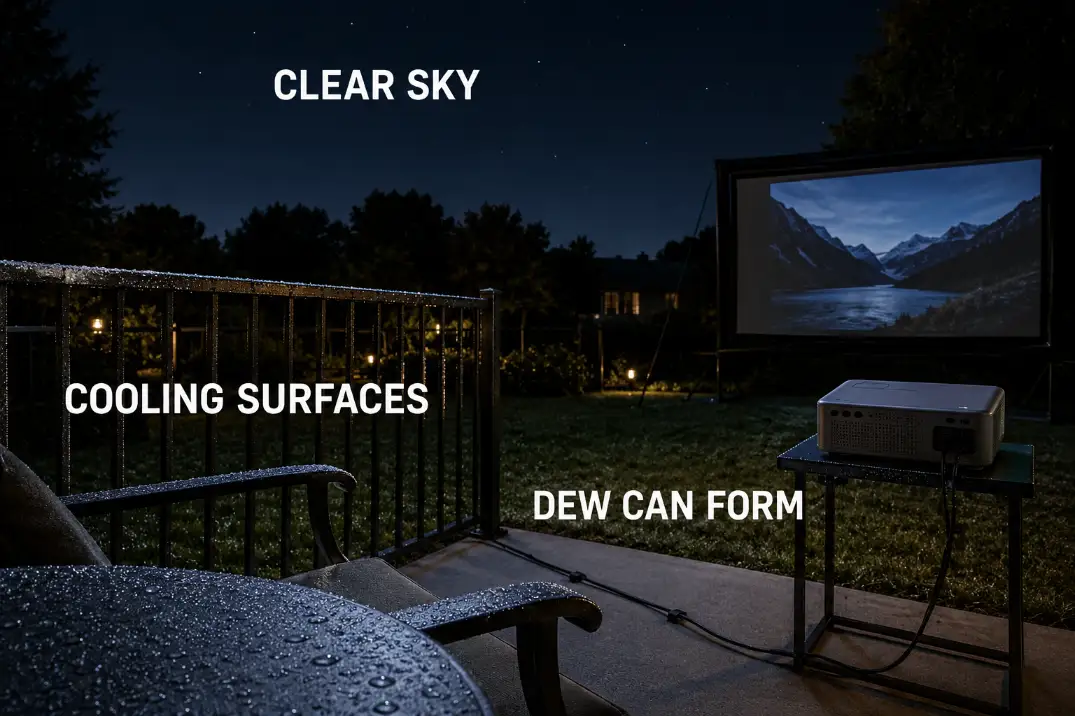
Dew Can Form Without Rain
Dew risk begins with surface cooling, not rainfall. When an exposed object cools enough, moisture in the surrounding air can condense on it even under a clear sky. The National Weather Service’s explanation of dew development notes that clear skies and light wind can favor nighttime cooling and condensation.
Different materials cool at different rates. A metal stand, glass tabletop, projector casing, chair arm, and patch of grass may therefore begin collecting moisture at different times. The reported air temperature can also remain higher than the temperature of an exposed object.
Let the surrounding surfaces warn you first
Do not wait for droplets to appear on the projector. Check the nearby environment for earlier signs:
- Damp grass near the setup
- Moisture along railings or vehicle roofs
- Wetness on metal or glass table edges
- Cool, slick chair arms
- A sheen forming on screen-frame hardware
The picture may still look normal while the setup is entering a higher-risk period. Image quality is not a moisture test.
Clear and calm can be more deceptive than cloudy
Under a clear sky, exposed surfaces can continue losing heat after sunset. Limited wind may also allow cooler air to remain around the patio rather than mixing with warmer surrounding air.
A roof or canopy can reduce direct exposure to the open sky, but it does not guarantee a dry table, dry air, or dry projector underside.
Weather Check: The projector should be one of the last objects to encounter moisture—not the surface used to confirm that dew has begun.
Avoid Leaving the Projector Outside Overnight
The overnight boundary should be firm: the projector comes indoors when the movie ends, even when parts of the theater setup remain outside.
Once the projector shuts down, it stops generating heat while its casing, support surface, and surroundings continue cooling. Dew that was absent during playback may form later and remain trapped beneath a loose cover until morning.
Overnight exposure also adds risks unrelated to the original forecast:
- Early-morning sprinklers
- Condensation or drips from an overhead structure
- Insects entering vents
- Dust sticking to damp surfaces
- Accidental splashes
- Moisture trapped inside a case or cover
A fixed screen location or prepared cable route does not require the projector itself to stay outdoors. A semi-permanent backyard theater setup can preserve repeatable placement while keeping vulnerable electronics removable.
Unless the manufacturer specifically approves outdoor storage, treat the projector as indoor equipment that is temporarily operated outside.
Keep Airflow Around Covers and Boxes
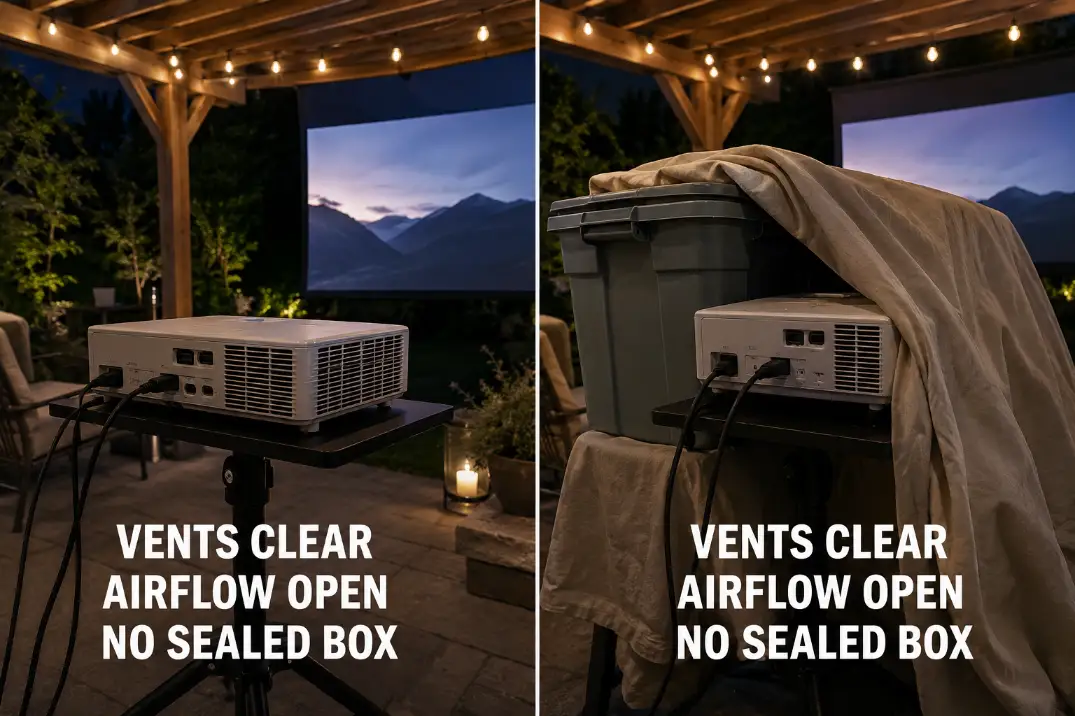
Do not solve dew exposure by creating an overheating problem. Any protection used while the projector is running must leave the intake, exhaust, and surrounding air space open.
Overhead shelter is not the same as enclosure
A roof edge, canopy, or overhead panel may reduce direct exposure without touching the projector. Bags, towels, fitted covers, and improvised boxes can do the opposite by trapping warm, humid air or crowding the vents.
Avoid:
- Draping fabric over the top or sides
- Running the projector deep inside a plastic tote
- Positioning an exhaust vent close to a box wall
- Covering the unit immediately after shutdown
- Assuming a tighter enclosure is automatically safer
The stronger setup is not the most enclosed one. It is the one that reduces direct exposure while preserving the airflow required by that specific projector.
Keep the storage case out of the operating setup
A case is for transport and dry storage, not for use as a projector chamber. Leave it open indoors while the movie is running, then allow the projector to complete its normal shutdown process before packing it.
Do not close the case while:
- The projector is still operating
- Its cooling cycle is active
- The casing or underside is damp
- The adapter or connections are wet
- Moisture is visible inside the case
Model-specific ventilation clearances should always come from the manufacturer rather than from the dimensions of a generic box or cover.
Airflow Check: When a cover must touch the projector or crowd a vent to stay in place, it is not suitable during operation.
Watch for Wet Tables and Patio Surfaces
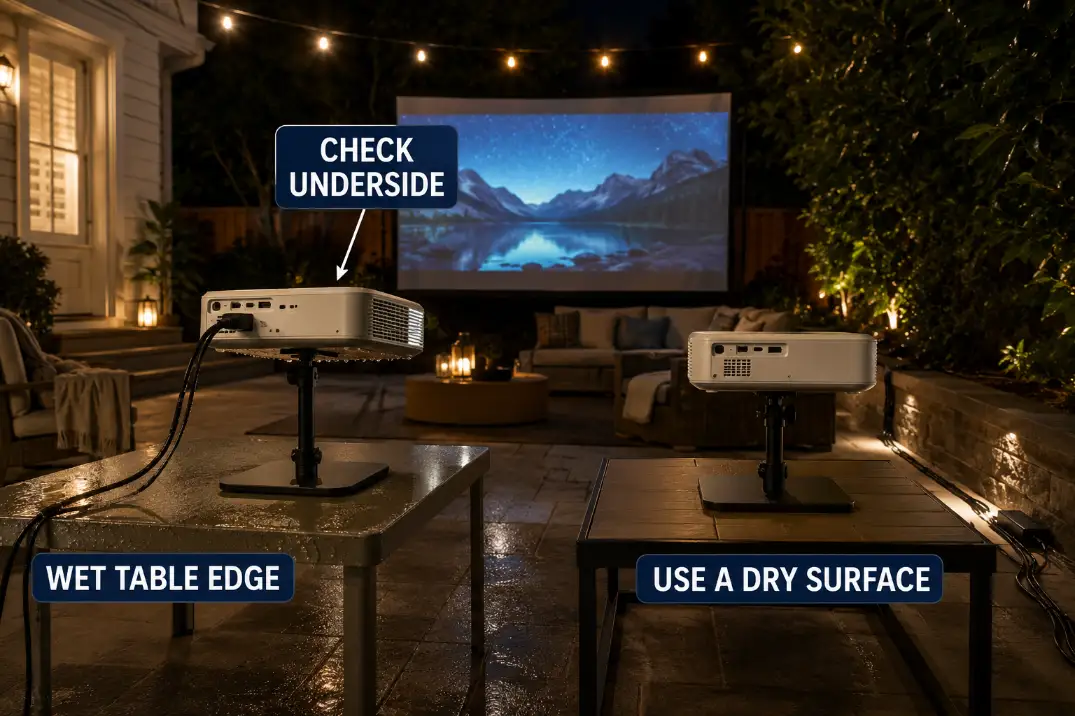
The projector can stay dry on top while moisture develops beneath it. That makes the support surface part of the weather decision, not just a piece of furniture.
Inspect the table, cart, shelf, stand, or platform before and during the movie. Pay particular attention to metal edges, glass surfaces, seams, fasteners, low corners, and the area directly beneath the projector.
A table may look dry from standing height while its cooler edge or underside has begun collecting condensation. Metal and glass often reveal the change sooner than a more sheltered surface nearby.
Local moisture can also come from:
- Damp grass beside the patio
- A roof drip line
- A sprinkler zone
- Water draining from a planter
- A cold drink near the projector
- Wet fabric or a tablecloth
- Runoff held in a patio seam
A towel is not a dependable moisture barrier. It can absorb water, hide a wet tabletop, hold dampness against the projector base, or interfere with underside ventilation.
Keep the projector level on a stable, dry support with its feet and underside clear. Check beneath the unit rather than inspecting only the top and lens area.
When the yard is already wet before setup, use the separate dry-zone and equipment checks for setting up an outdoor projector after rain. A dry tabletop alone does not make a wet operating area safe.
Store the Projector Before Temperature Drops
The correct shutdown time is controlled by conditions, not by a fixed hour. The useful trigger is the point when exposed surfaces around the projector begin showing moisture while the projector itself remains dry.
Use the yard as the early-warning surface
Check table edges, railings, chair arms, screen-frame hardware, vehicle roofs, and grass. When several begin feeling damp, the remaining dry window around the projector may be short.
A forecast can help by showing falling temperatures, high humidity, or a narrowing difference between temperature and dew point. It should support what you observe outside rather than replace it.
Do not try to gain another half hour by waiting for visible droplets on the casing. Begin shutdown before moisture reaches the projector, adapter, vents, or connection points.
Prepare the indoor landing area before shutdown
Stop playback and use the projector’s normal power-down process rather than cutting power abruptly. Allow any manufacturer-defined shutdown or cooling cycle to finish.
The dry indoor landing area should already be ready. Leave the storage case open indoors so the projector does not remain outside while space is cleared.
Do not move the unit while it is operating or while cables remain stretched across the patio.
Pre-Dew Shutdown Check
- Nearby table edges, chair arms, railings, or grass are beginning to feel damp.
- The support surface has been checked underneath for moisture.
- The lens area, casing, vents, adapter, and connections remain visibly dry.
- Playback can be paused long enough for the normal shutdown cycle.
- A dry indoor landing area and open case are ready.
After shutdown, disconnect equipment only when your hands, plugs, and the connection area are dry. Move the projector indoors before packing less vulnerable parts of the setup.
Do not seal a warm or damp projector into its case simply to finish cleanup faster.
Moisture Signs You Should Not Ignore
Visible moisture changes the task from prevention to stop-use and inspection. At that point, extending the movie is no longer the useful decision.
Stop operation when you notice:
- Droplets or a moisture sheen on the casing
- Fogging around the lens
- Dampness near vents, controls, or seams
- Moisture beneath the projector
- Wetness around the adapter, plugs, or cable entries
- Condensation behind a lens or transparent panel
A normal picture does not prove the projector is dry. Do not keep it running in an attempt to warm the moisture away.
Visible moisture is a stop boundary
Use the normal shutdown process when it remains safe. Do not handle wet plugs or connections, and disconnect power only with dry hands in a dry connection area.
Do not push cloth into vents, direct heat into the casing, or open the projector. Move the unit to a dry, ventilated indoor location when it can be handled safely.
There is no universal drying time. Restart depends on the absence of visible moisture, dry connections and storage materials, the manufacturer’s instructions, and normal operation after inspection.
Moisture around adapters, power bricks, plugs, or low connections requires its own protection strategy. Keep those points raised and protected with appropriate weatherproof cable management for outdoor AV.
Persistent fogging or abnormal behavior requires support
Keep the projector off when moisture is followed by:
- Persistent internal fogging
- Flickering or an unstable image
- Repeated protective shutdowns
- Unusual fan or electrical sounds
- A burning or unfamiliar odor
- Suspected liquid entry
These signs should not be treated as a surface-cleaning issue. Follow the manufacturer’s instructions and use qualified service when internal moisture or continuing malfunction is suspected.
The strongest dew protection is an early decision, not a more elaborate cover. Watch the surrounding surfaces, keep the projector elevated on a dry support, preserve airflow, and shut down while the unit is still dry.
Once moisture reaches the projector or its electrical connections, the movie is over for that equipment.