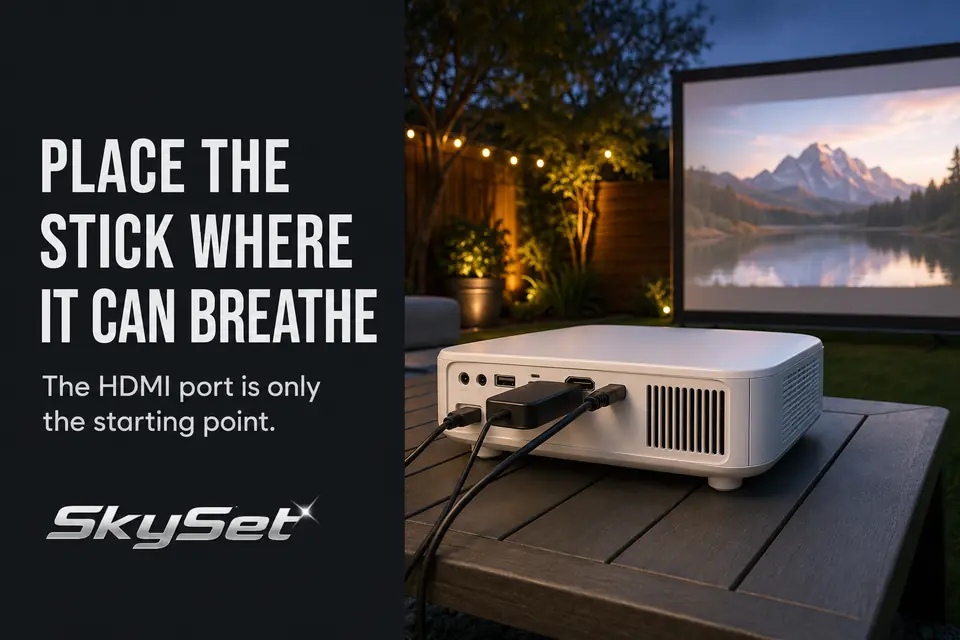
The correct streaming-stick position is not automatically the nearest available HDMI port. It is the shortest supported position that passes four tests together: no connector strain, a usable Wi-Fi path, separation from projector heat, and stable power.
Most placement mistakes happen because the plug is checked while the space around the device is ignored. A rear-facing port may leave the stick pressed against the projector, exposed to exhaust, or shielded from the house where the router is located.
Start at the HDMI port. Keep the direct connection only if it passes all four tests; otherwise, move the stick just far enough to correct the failing condition.
HDMI Port Position
Accept a direct connection only when the complete streaming-stick body—not merely its plug—fits without pressure or obstruction. Side-facing ports often provide this clearance. Rear-facing or recessed ports may aim the stick toward a wall, mounting surface, table enclosure, or cluster of other connections.
Check whether the device covers an adjacent input, projector control, intake, or exhaust opening. You should also be able to disconnect it without shifting the projector and disturbing image alignment.
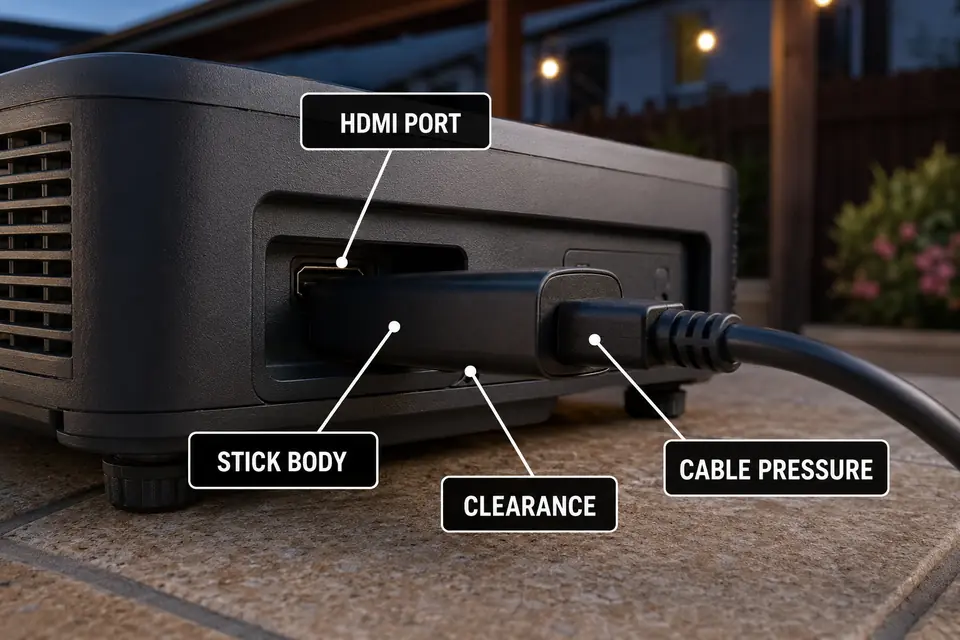
The connection fails the placement test when the stick and its power cable act like a lever on the HDMI port. Even a lightweight cable can create persistent sideways pressure if it drops immediately from the device or is pulled toward a power source.
Leave a small relaxed curve in the power lead before routing it toward the table edge. The HDMI connector should hold the plug in position, not support a hanging device and cable run.
Wi-Fi Signal Around the Projector
Judge wireless reception at the streaming stick, not at the projector table. A phone held above the setup may receive a usable signal while a compact stick remains hidden behind the projector chassis, below a shelf edge, or between the projector and a nearby wall.
Consider which side of the setup faces the house. If the direct HDMI position places the projector body between the stick and the router, moving the device several inches to the side may create a clearer path. This small difference matters when backyard streaming Wi-Fi dropouts begin only after the stick is installed behind the projector.
The stronger position is not necessarily the most exposed one. The stick still needs protection from accidental contact, damp grass, and changing weather. Look for a supported spot beside or slightly behind the projector where the chassis no longer blocks the route toward the house.
Test reception with the device resting in that exact position. Holding it above the table during setup and returning it behind the projector afterward does not test the layout that will actually be used.
Heat Behind the Projector
A position with good HDMI clearance still fails if it places the stick in the projector’s exhaust stream. Vent direction varies by projector, so identify the actual intake and exhaust openings instead of assuming the entire rear area is either safe or hot.
Avoid narrow pockets formed by the projector body, a close wall, an enclosure panel, or a temporary cover. The stick should not obstruct an intake, and warm exhaust should have room to leave without passing directly across the device.
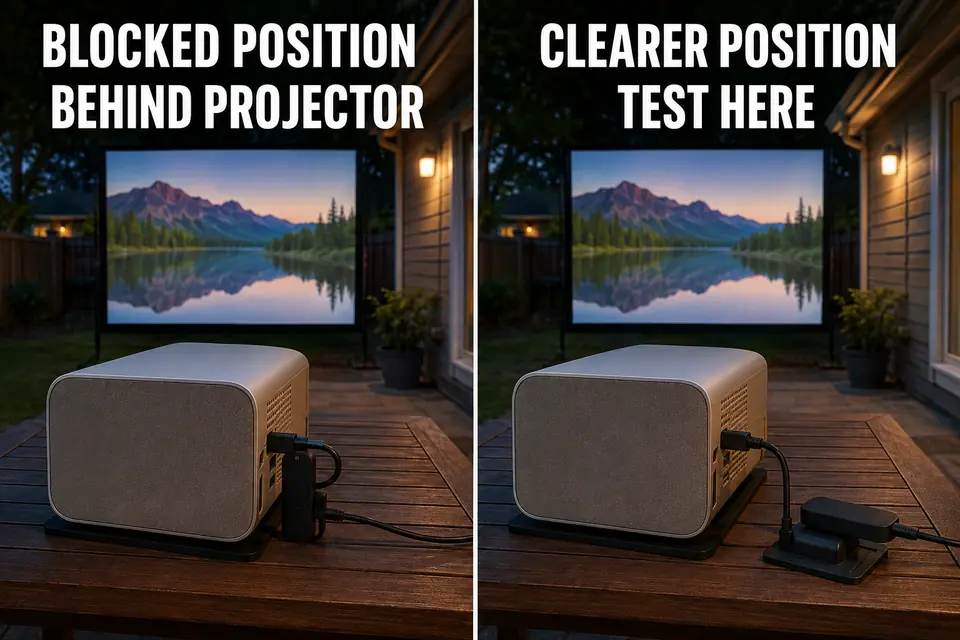
A streaming stick also generates heat while decoding video. Sandwiching it between a warm projector surface and another panel combines both heat sources in a space with little air movement.
Heat at the stick does not prove that the projector itself is malfunctioning. However, shutdowns, unusual fan behavior, or restricted vents point to a broader outdoor projector overheating problem rather than a placement issue alone.
Recheck the area after the projector has been running. A position that feels cool immediately after sunset may become unsuitable once the projector reaches normal operating temperature.
Short Extension Leads
A short HDMI extension lead earns its place only when it changes the stick’s environment. It should clear a recessed port, remove connector leverage, escape warm exhaust, or move the device beyond the projector’s Wi-Fi shadow.
A lead around 6–12 inches is often enough for that adjustment, but the required length is determined by the obstacle rather than a fixed target. The stick should finish on a stable surface or protected support point—not dangling from the extension.
Keep both HDMI connections off the ground and avoid sharp bends directly behind the plugs. If the stick remains hidden against the same projector surface, the additional lead has introduced another connection without solving the placement problem.
Power for the Streaming Stick
Power routing can veto an otherwise workable position. Connect the power lead before approving the layout and confirm that it reaches without pulling the stick toward the projector, crossing a vent, or pressing against the controls.
A projector USB port may be convenient, but the stick turning on does not confirm that the port provides adequate, consistent power during sustained playback. Use the device’s intended power method unless the projector documentation confirms that its USB output is suitable.
Keep adapters and plug connections away from damp ground and possible runoff. The outdoor supply should also avoid the common outdoor extension-cord mistakes that create exposed connections or unsuitable cable routes near the projector table.
Separate the lightweight USB lead from the heavier power cord feeding the setup. Carefully moving the main cord should not change the stick position or place pressure on its HDMI connection.
App Test Before Guests Arrive
Do not approve the placement from the streaming stick’s home screen. Test it with the projector, audio equipment, power route, and seating arrangement in their final positions.
Open the app that will actually be used and play real content for approximately 15–20 minutes. This gives the projector time to warm, the stream time to reach normal quality, and an unstable power or wireless connection time to appear. If playback remains smooth but speech falls behind the image, treat that separately as Bluetooth audio delay during outdoor movies.
Use this compact pre-guest check:
- Confirm that the intended app opens without a new login request.
- Complete pending streaming-stick or app updates.
- Play the actual service at normal video quality.
- Test remote response from the main seating area.
- Watch for buffering, restarts, or power interruptions.
- Recheck device temperature, cable slack, and projector airflow.
The position passes only when the warmed setup streams reliably, the remote works from the seats, and the cables remain relaxed. A successful menu screen proves that the device has power; it does not prove that the placement works through a movie.
Keep the stick directly connected when that position passes the clearance, signal, heat, and power tests. If one condition fails, move it only far enough to correct that failure. The strongest layout is usually the simplest position that survives real playback—not the position with the most cable or the most open space.
For the outdoor power run, follow the Electrical Safety Foundation International’s extension-cord safety guidance on outdoor ratings, load capacity, and keeping cords clear of standing water.