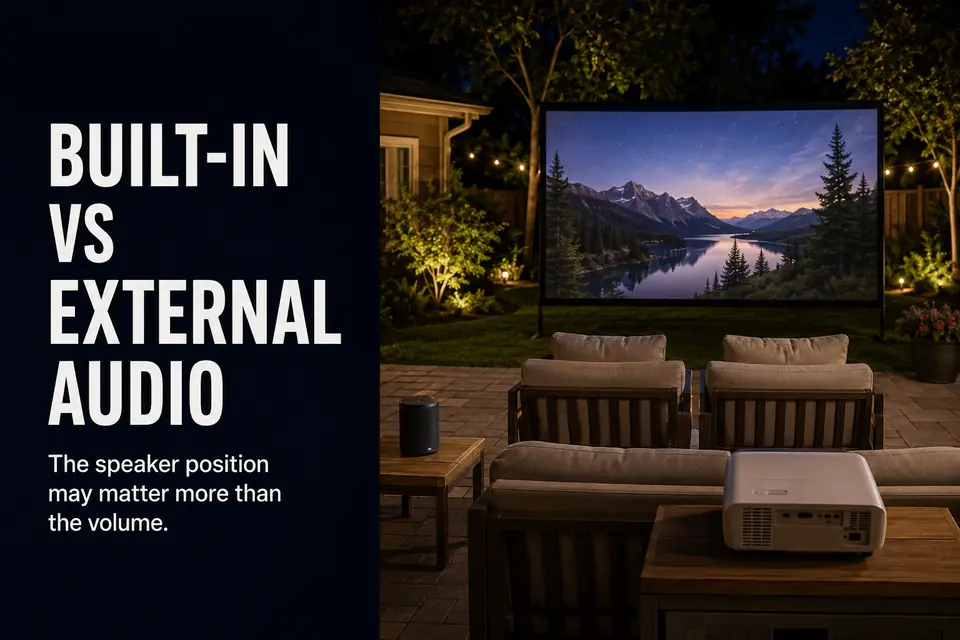
A projector’s built-in speaker can be audible across the patio and still be the wrong sound source for the seats. Outdoor audio is not mainly a volume contest. It is a source-to-seat problem: dialogue starts beside the projector, crosses open air, competes with nearby noise, and may lose clarity before it reaches the audience.
External audio is useful when it shortens or stabilizes that path. A battery-powered speaker can move voices closer to the seats with little infrastructure. A wired connection can make the signal more repeatable, but only by adding a physical route that must remain safe and practical.
The decision is not whether external audio is technically better. It is whether a different path delivers clearly better dialogue from the seats—and whether that improvement justifies the setup every time the screen goes up.
Why Built-In Speakers Feel Small Outdoors
Treat the built-in speaker as the zero-extra-setup baseline, not as an option that must automatically be replaced. It loses its advantage only when the real seats expose its limits. In a room, nearby surfaces return some sound toward the listener. In a backyard, sound spreads into open space while wind, insects, distant traffic, and patio activity compete with quieter dialogue.
When built-in sound is enough
Keep the built-in speaker when the setup is small, the yard is quiet, and the main seats are reasonably close to the projector. It also fits casual viewing where convenience matters more than room-like sound. There is no battery to charge, wireless link to confirm, or audio cable to route.
It passes if viewers can understand normal dialogue at a comfortable setting without concentrating on every line. A speaker does not need to sound cinematic to be sufficient; it needs to make an upgrade unnecessary.
When more projector volume stops helping
Pushing the volume higher does not repair a weak sound path. Voices may become sharper or strained while quiet words remain difficult to separate from background noise. Louder effects can then feel excessive even though dialogue still lacks presence.
That is the useful failure boundary: if effects become uncomfortable before voices become easy to follow, the projector location and limited scale are no longer serving the listening area.
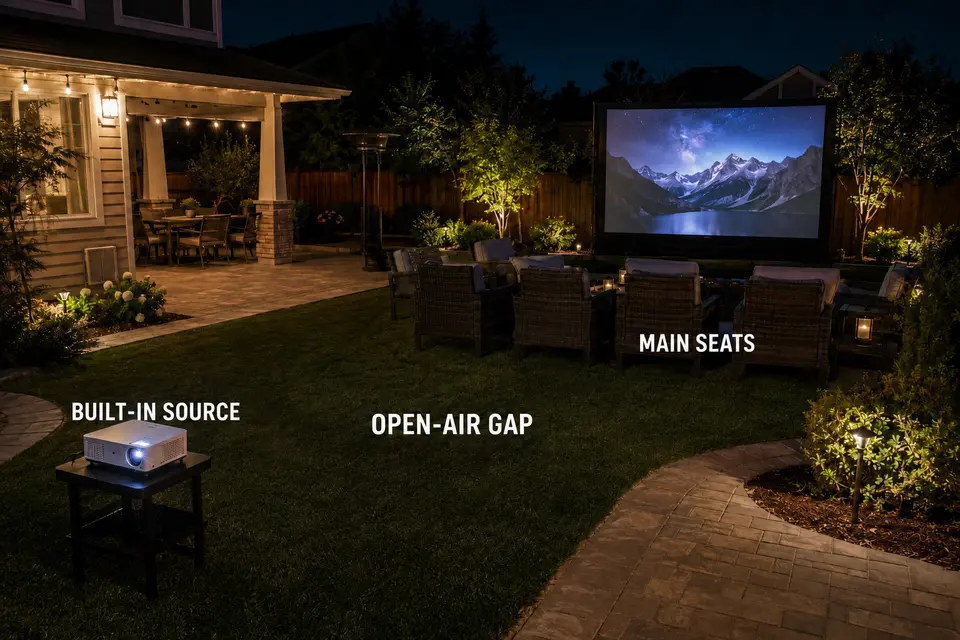
Dialogue Near the Seating Area
Move the audio source only when distance is part of the failure. An external speaker earns its place by bringing dialogue nearer to the primary listeners, shortening the path over which voices can be masked—not by adding another object to the setup.
Position before power
A compact speaker near the main seats may produce clearer voices at a lower, more neighbor-friendly level than a projector speaker working hard from farther away. The strongest clue is repeated volume adjustment: viewers turn conversations up, then turn music or effects back down.
The placement still has to work physically. The speaker needs a stable, dry surface outside the projector beam and walking route. If the seating area is wide, one convenient side position may favor the nearest chairs while leaving the far side weak. The aim is not maximum output; it is even enough coverage across the seats that matter. A separate guide to outdoor speaker placement for a backyard theater can help when coverage, rather than the connection, becomes the next decision.
Quick judgment: Moving dialogue closer matters more than forcing projector volume only when the improvement reaches the whole main seating area. Judge it from the least-favored regular seat, not beside the speaker.
If voices seem detached from lip movement, the new position may expose a synchronization issue that was less obvious before. Clearer but visibly late dialogue is not a successful upgrade.
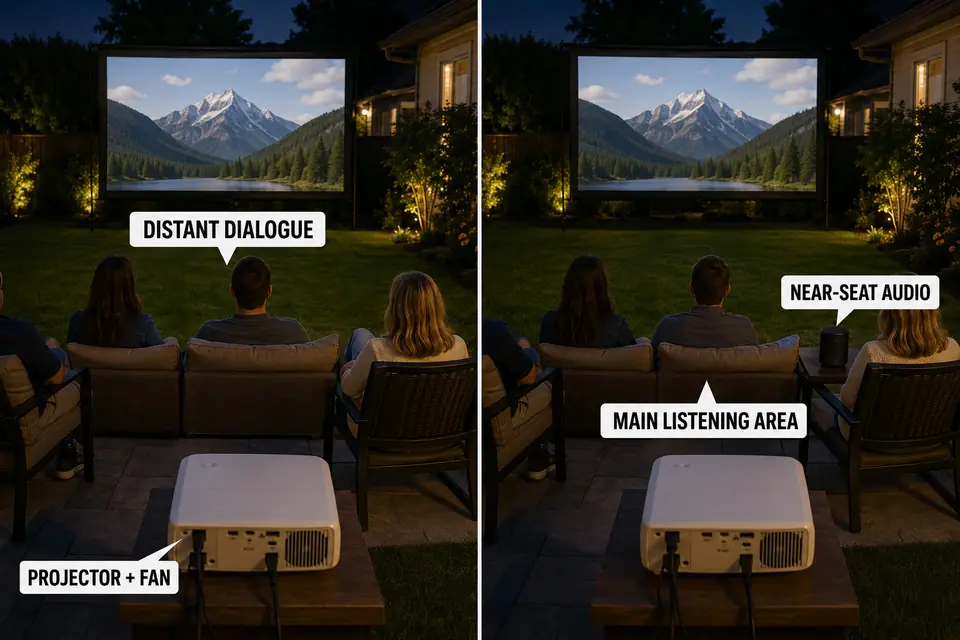
Projector Fan Noise
Before blaming speaker output, listen for the noise sharing its location. The built-in speaker and cooling fan sit close together, so quiet dialogue can begin beside a competing mechanical sound before crossing the yard. The effect is usually most obvious near the projector and during restrained scenes.
Increasing volume raises dialogue, music, and effects together; it does not separate voices from the fan. Moving the audio source toward the audience can create that separation without moving the projector or making loud scenes harsher.
This comparison applies only to normal operating noise. A fan that has recently become louder, changes pitch, or sounds abnormal needs a focused look at outdoor projector fan noise, not an automatic speaker upgrade. External audio may mask the symptom at the seats; it does not correct the cause.
Battery Speaker Support
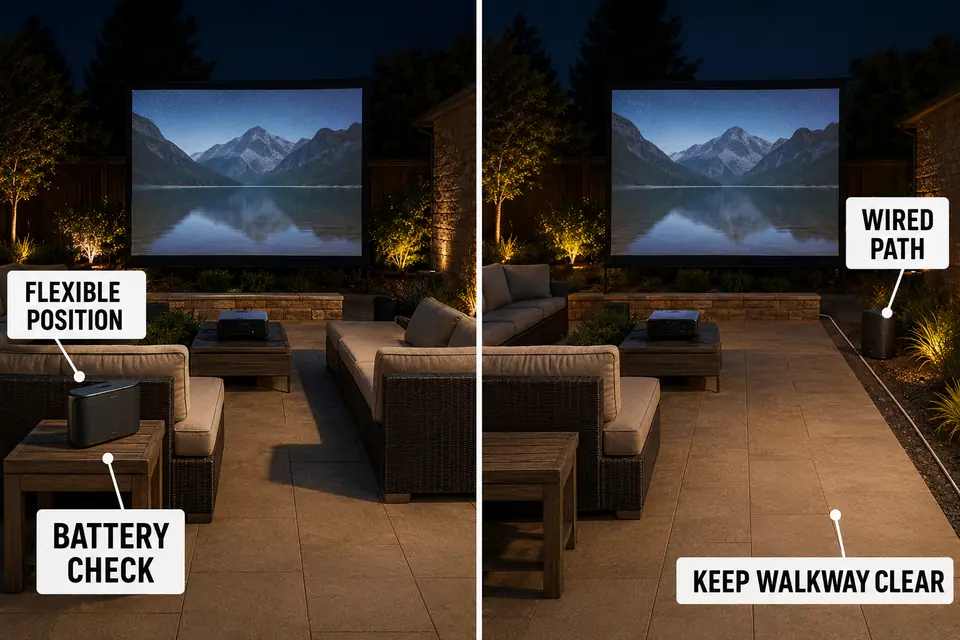
Choose battery support when flexible near-seat placement is more valuable than connection certainty. It avoids a long power lead and can move with the seating, making it the strongest temporary path rather than the strongest universal one.
Where the flexible option fits
Battery support fits compact patios, occasional movie nights, and setups packed away after use. It is especially useful when the projector sits behind the seats and a stable, protected surface already exists near the listeners.
Its convenience depends on preparation. The speaker needs enough charge for the event, and the full source-projector-speaker chain must remain connected. Published runtime cannot account for every volume level, temperature, or battery condition, so check the charge rather than inferring it from the previous use.
Bluetooth can add pairing friction, dropouts, or visible delay between speech and lip movement. The risk depends on the complete device path, so a universal latency number is less useful than one repeatable pre-show test. If lip movement and speech do not remain acceptably aligned, use the dedicated process for checking Bluetooth audio delay during outdoor movies rather than reconnecting devices at random.
Avoid battery support when its only position is unstable, exposed to moisture, inside the beam, or in a walking route. Portability is not reliability; with frequent use, repeated charging and pairing may become more work than a contained cable.
Wired Audio Option
Choose wired audio when repeatability is worth giving the signal a permanent place in the setup routine. It reduces pairing uncertainty, but the gain is real only when the cable can follow a protected route that is easy to deploy again.
Reliability has a physical cost
A cable does not guarantee perfect synchronization. Source processing, the projector, adapters, and the powered speaker can still affect timing. Wired becomes the stronger repeat-use choice only when that complete tested path behaves consistently.
Confirm compatibility before planning the route. Not every projector provides the same audio output, and not every speaker accepts the same input. A chain of improvised adapters can make the supposedly dependable option the most fragile one.
Keep the cable along a protected edge and outside the route between the house, projector, and seats. Do not lay a loose lead across circulation. Powered equipment used outside must suit the conditions and stay away from moisture; this comparison is not an outdoor electrical-safety plan.
| Audio path | Best fit | Main strength | Main limitation | Pre-show check |
|---|---|---|---|---|
| Built-in speaker | Small, quiet setup with close seating | Least equipment and setup | Sound remains tied to the projector location | Dialogue is clear at a comfortable level |
| Battery-powered speaker | Temporary or changing setup | Flexible near-seat placement | Charge, pairing, and possible delay | Battery, stability, and lip-sync |
| Wired external audio | Repeated setup where consistency matters | Predictable tested connection | Cable routing and compatibility | Full signal path and clear walking route |
Wired audio earns its setup cost when the same protected route can be reused. It is the wrong upgrade when the cable must cross active movement space or the connection depends on a fragile adapter chain.
Upgrade Decision Test
Make the upgrade earn its place with one controlled comparison. Use a familiar, dialogue-heavy scene and keep the projector, seating, source, and normal yard conditions unchanged. Start with built-in sound at a comfortable level—not maximum volume—then switch paths without leaving the main seat.
Check the following:
- Are normal and quiet lines easier to understand without making loud moments uncomfortable?
- Does the voice still feel connected to the picture, with no distracting delay?
- Does the connection remain stable without dropouts or last-minute pairing work?
- Are battery status, cable placement, and speaker stability easy to verify?
- Is the improvement large enough to justify repeating the added setup every movie night?
Keep the built-in speaker if dialogue is already clear from the real seats. Adding equipment to a setup that passes this test solves no meaningful problem.
Use battery support when near-seat placement creates an obvious improvement and charging, pairing, and synchronization remain dependable. It is the flexible path for changing seating.
Use wired audio when connection behavior must repeat and a protected route can stay outside circulation. Its reliability does not justify an awkward cable path.
The correct path is the least complex one that passes from the least-favored regular seat: dialogue stays intelligible, loud scenes remain comfortable, and voices remain connected to the picture. If abnormal fan noise or wireless delay fails that test, fix the specific failure before adding more audio hardware.