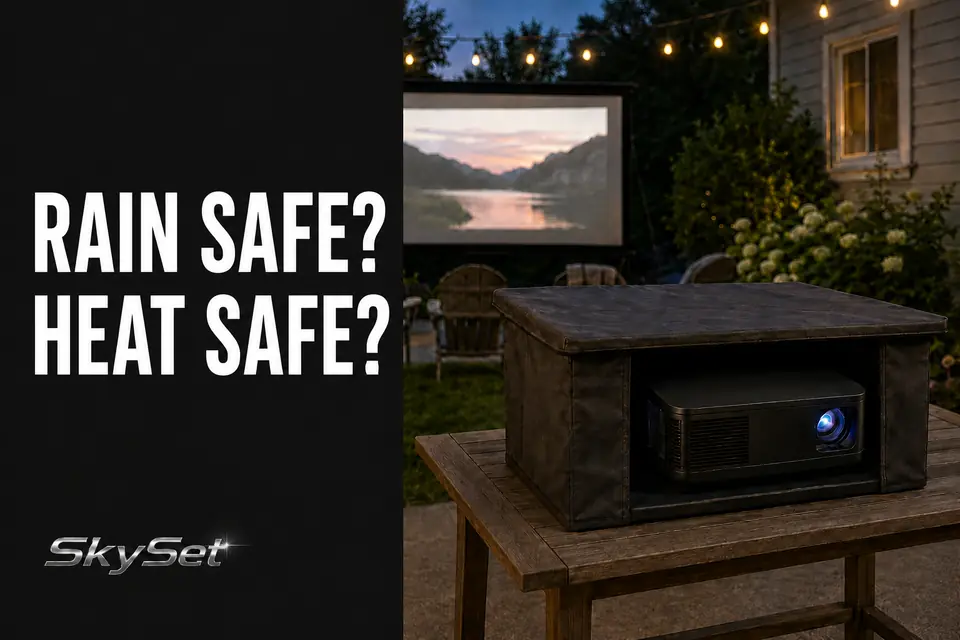
A temporary projector enclosure succeeds only when it interrupts moisture without interrupting projector operation. That distinction matters because the enclosure that looks most protective—small roof, close walls, narrow openings—can also be the one most likely to hold exhaust around the equipment.
This is not mainly a question of whether the projector fits inside. The real test is whether it can still draw in cool air, release warm air, remain accessible, connect without cable strain, and sit securely on its existing support.
For most temporary movie nights, the practical choices are an open setup in reliably dry conditions, restrained overhead shielding with open sides, or a more surrounding enclosure. None makes a standard indoor projector weatherproof. The right choice solves a limited exposure problem without creating a second operating problem.
Rain Cover vs Heat Trap
Choose overhead shielding only when the threat comes mainly from above. A cover may interrupt an occasional drop from a patio structure or nearby surface while leaving the projector’s sides open. It cannot stop wind-driven rain, water moving across the table, wet conditions around electrical connections, or moisture already inside the equipment.
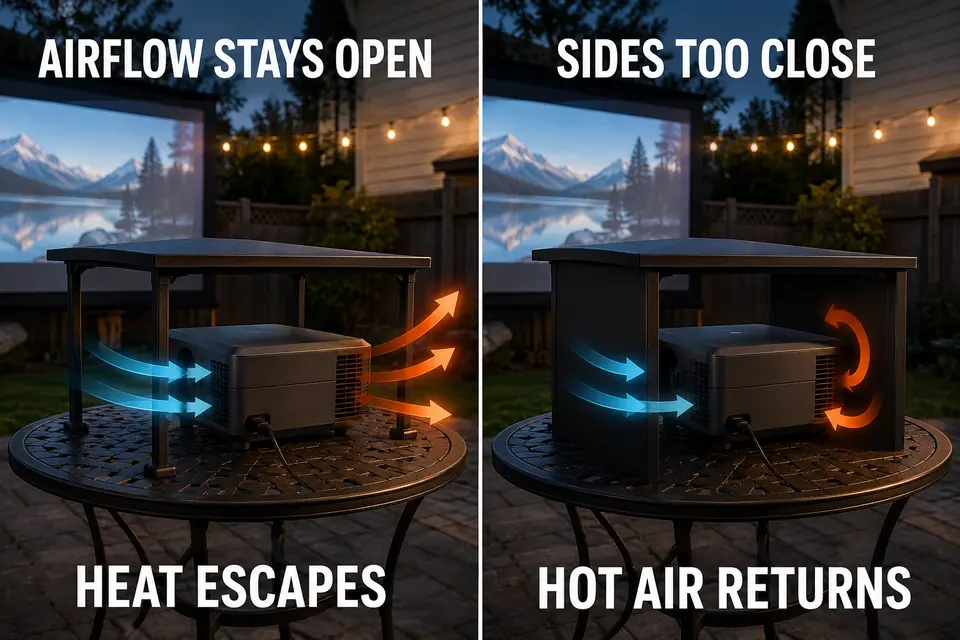
Adding close side panels increases directional coverage but changes the operating environment. Projectors move air through specific intake and exhaust points. If a panel holds expelled heat near the case, the enclosure has traded limited splash protection for a cooling problem.
The weakest arrangement is therefore not always the most open one. It is often the small box that technically contains the projector while leaving no effective route for exhaust to escape.
A temporary cover does not make a standard projector rain-safe. Active rain, dripping surfaces, pooling water, or uncertain electrical protection should postpone or end the setup.
If the equipment or setup area has already become wet, disconnect power and follow a separate process for setting up an outdoor projector after rain. A cover is not evidence that wet equipment is ready to operate.
The useful boundary is simple: limited overhead exposure may justify an open-sided shield. Moisture arriving from several directions calls for relocation or postponement, not more enclosure walls.
Airflow Around the Projector
Reject any enclosure until you know where that particular projector takes in and expels air. One model may exhaust through the front, another through the side, and another may depend on openings underneath the case.
Open space helps only when it aligns with that cooling path. A generous rear opening cannot compensate for a side exhaust aimed at a close panel. The hot air strikes the wall, remains beneath the cover, and can return toward the intake.
Soft material introduces a different failure point. Fabric that clears the vents during setup may sag or shift after the fan starts or the wind changes. A rigid roof avoids sagging but can still retain heat if its sides extend too far downward.
The projector manual—not a universal online clearance—is the controlling source. Epson’s projector safety guidance, for example, explains that case openings provide cooling ventilation and must not be blocked or covered. Follow the instructions and operating limits for the actual model in use.
Field note: Test the complete enclosure, not just the uncovered projector. If removing one panel immediately gives the exhaust a cleaner exit, that panel was not adding useful protection.
Before committing to a full movie, let the projector reach its normal operating state and confirm that:
- Cooling air can reach the intake without passing through a cramped gap.
- Warm exhaust leaves instead of circulating beneath the cover.
- No panel or fabric moves toward a vent.
- The unit remains within its specified operating conditions.
- Fan behavior and warning indicators remain normal.
Stop if the enclosure produces unusual heat warnings, shutdowns, or a sustained change in fan behavior. The guide to outdoor projector overheating covers that diagnosis in greater depth.
Access to Focus and Controls
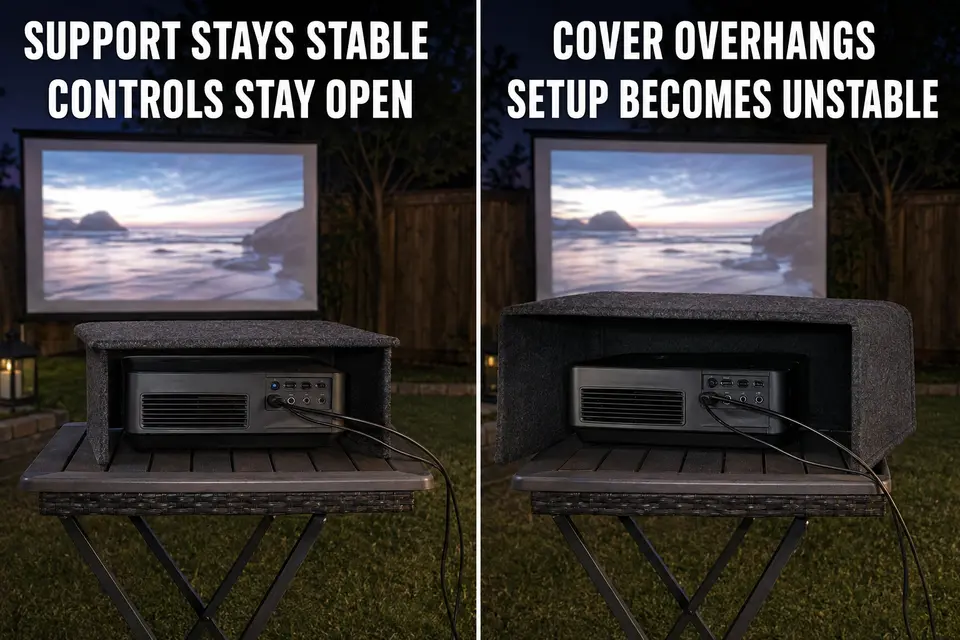
Avoid an enclosure that must be disturbed whenever the image or equipment needs attention. Temporary setups can require a minor focus correction after the projector warms or the supporting surface settles, so the focus control, power button, ports, remote receiver, and status lights must remain reachable.
An overhead shield normally preserves that access. A close-sided enclosure may hide controls or force the homeowner to lift a panel, move the projector, or reach through a cramped opening. That is poor fit even when ventilation appears adequate.
Remote operation helps, but it does not replace physical access. Warning indicators still need to remain visible, and the projector must be reachable without putting a hand near hot exhaust or destabilizing the stand.
The lens opening also has to remain outside the beam. An enclosure edge that clips the image, reflects light toward the lens, or touches the projector should be repositioned rather than compensated for with more digital correction.
Because alignment can shift during real use, retain straightforward access for focus changes during an outdoor movie. Protection should not turn a minor adjustment into enclosure disassembly.
Cable Exit Points
A cable exit works only when it preserves the cable and does not become an easy moisture route. Making the opening as small as possible is therefore not automatically safer.
A narrow slot may compress a power cord, force a sharp HDMI bend, or place continuous pressure on a connector. A large opening avoids pinching but may undermine the limited directional protection the enclosure provides. Low openings can also sit in the path of water moving down a panel or across the tabletop.
Cable tension creates a less obvious problem. A tight cord can rotate a lightweight cover, shift the projector, or transfer movement from the ground to the table. Cables need controlled slack and support that does not depend on the enclosure remaining perfectly still.
Once outside, the route remains an outdoor electrical and trip-management issue. The cover cannot replace weatherproof cable management for outdoor AV or proper outdoor-rated connections.
The Electrical Safety Foundation International recommends GFCI protection where water may contact electrical equipment. If plugs, receptacles, cords, or powered equipment are wet, do not use an enclosure as permission to energize them.
Table and Stand Fit
Reject a cover that makes a previously stable support less stable. Temporary tables and narrow projector stands have limited usable surface, while an enclosure adds footprint, height, and wind exposure.
A shield with independent support can preserve the projector’s full platform. A structure sharing a small stand may crowd leveling feet, cover controls, press against the case, or place a support member in the projection path.
Weight is not the only issue. A broad lightweight panel can catch more wind than the compact projector beneath it. If a minor gust can rotate the cover, wobble the stand, or change image alignment, the enclosure is oversized for that position.
Do not solve this mismatch by moving the projector somewhere worse. Shifting it sideways can distort the image; raising it can put the beam through the seating area; moving it backward can extend cables across a household route. The enclosure must fit the established projection position rather than force the entire layout to accommodate it.
Set the projector at a stable, level viewing position first. The guide to projector stand height for backyard movies handles that geometry; the enclosure test begins after the correct position has been established.
When an Enclosure Is Not Worth It
The enclosure is not worth using when protection requires compromising airflow, access, cables, or stability. Physical fit alone is not a pass.
Restrained overhead shielding fits dry conditions with a small exposure risk from above, open cooling paths, and support that cannot shift. It is normally the simplest and most flexible temporary option.
A more surrounding enclosure demands stronger evidence: ventilation designed around the specific projector, unrestricted controls, sensible cable exits, and a support large enough for the combined setup. For a single movie night, those requirements often create more work than the added coverage is worth.
Skip the enclosure when a roofed porch, covered patio, garage opening, or another dry position provides protection without surrounding the projector. Skip it as well when conditions are reliably dry and the equipment can be packed indoors promptly after the movie.
Postpone the setup when protection would require blocking vents, improvising around wet connections, balancing a broad cover on a narrow stand, or adjusting panels throughout the show.
Before using the enclosure, confirm all six conditions:
- The projector and electrical area are dry, with no active rain or dripping nearby.
- Intake and exhaust openings remain unobstructed.
- Warm exhaust leaves instead of returning toward the intake.
- Focus, power controls, ports, and warning lights remain accessible.
- Cables exit without pinching, sharp bends, or tension.
- The table, stand, projector, and enclosure remain stable together.
Failure on any one point calls for a simpler cover, a better location, or another night—not another layer of fabric or plastic.
The strongest temporary enclosure is not the one that surrounds the most equipment. It is the smallest intervention that blocks the relevant exposure and then disappears operationally.
If the cover must be watched, moved, vented, or stabilized throughout the movie, it has already failed the temporary-use test.