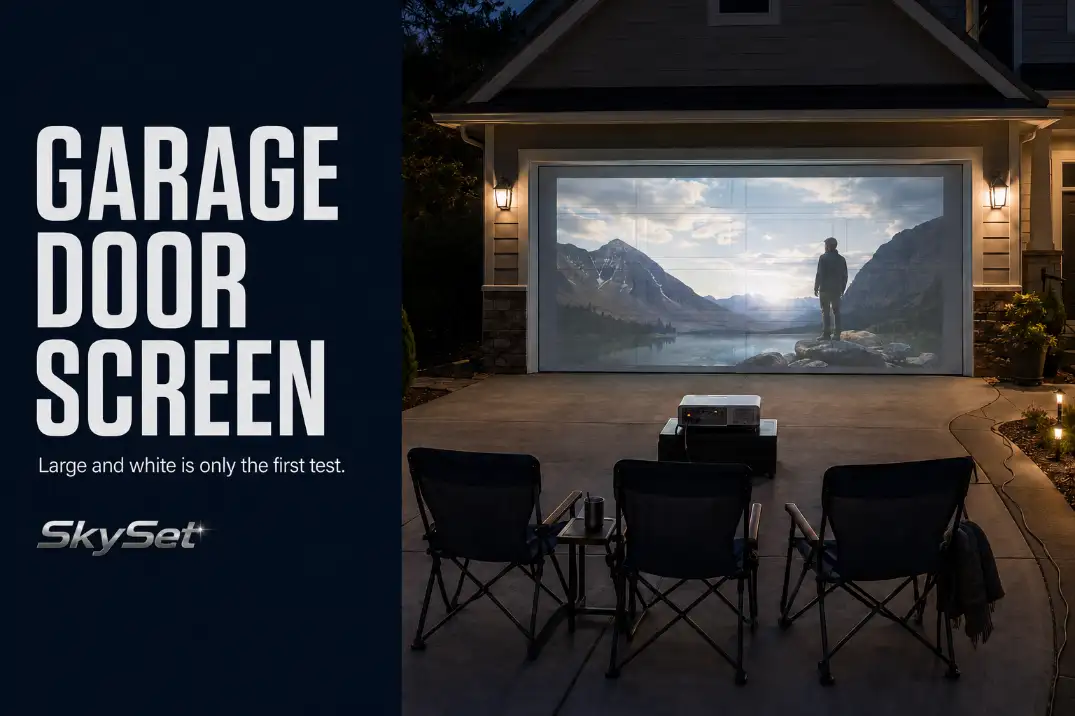
The real question is not whether a garage door can display an image. Most light-colored doors can. The decision is whether the door’s surface errors disappear from the actual seats once the movie starts.
A large white door can still produce distracting seams, tinted color, bright reflections, keystone distortion, or a driveway layout that leaves no comfortable place for both the projector and chairs. Those problems need different responses; turning up brightness will not correct all of them.
Run varied movie content for 10–15 minutes after full darkness. Judge the result from the center seat and at least one outer seat—not from directly beside the door.
Keep the door when its flaws recede during playback, adjust the setup when one identifiable condition controls the problem, and consider a real screen when several structural limits remain.
Panel Lines and Texture
Panel lines matter only when they become part of the picture. Thin horizontal joints on a relatively flat sectional door may remain visible in bright frames but disappear once the movie starts moving.
Deep carriage-style panels, pronounced wood-grain texture, handles, hinges, and window frames are more likely to reshape the image.
Position matters as much as severity. A recess near the top edge may cross sky or background scenery. The same recess through the center third can bend faces, split subtitles, and make slow camera movement look uneven.
Test the surface with several kinds of content:
- A bright frame that reveals every seam
- A close-up of a face
- White subtitles over a dark background
- A slow horizontal camera movement
- A detailed scene with fine lines or small text
Pause each frame for 30–60 seconds, then return to normal playback. Standing 2 feet from the door will make nearly every joint look unacceptable; the intended seating distance is the useful standard.
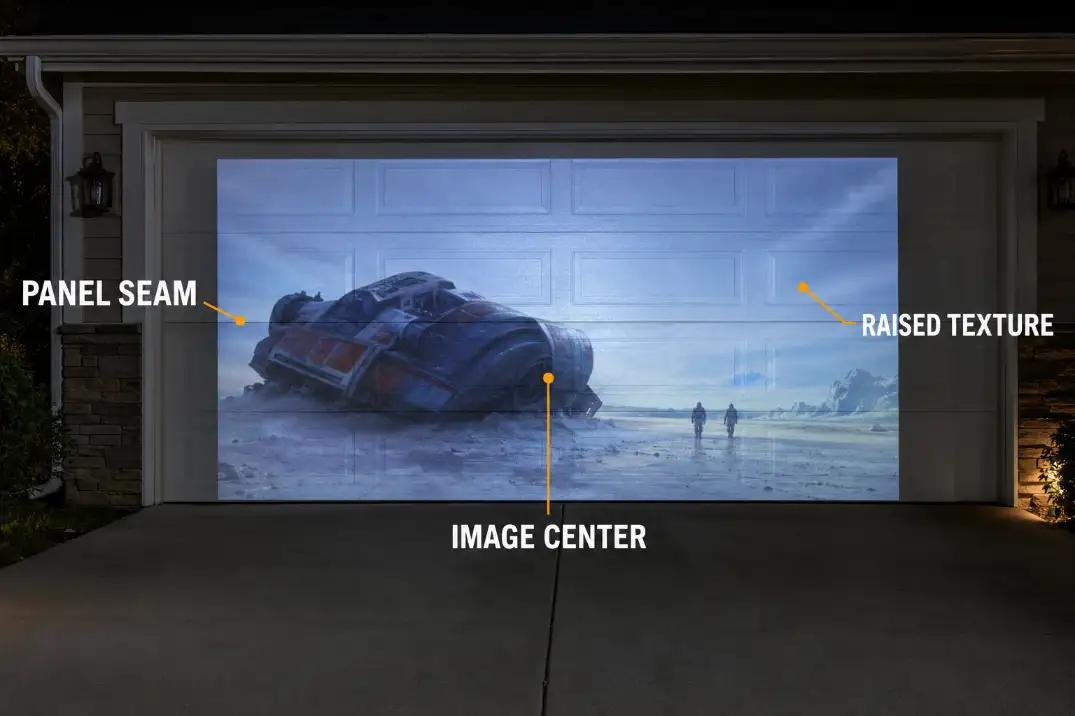
If moving the image slightly upward or downward keeps the most disruptive seam outside the center viewing area, the door may remain usable. Do not shrink the picture excessively just to avoid every line; that trades surface interference for an unnecessarily small movie.
A dedicated surface behaves differently because it is designed to remain visually continuous.
The guide to how outdoor screen materials handle flatness explains that distinction without treating every visible garage-door seam as a failure.
Keep the door in play when its structure stops attracting attention during normal playback. Reposition the image when one avoidable feature causes most of the disruption. Reject the surface when deep panels, hardware, or multiple recesses reshape important content wherever the image is placed.
Door Color and Image Contrast
Door color is acceptable only when it behaves like a reasonably neutral reflector. Matte white and very light neutral finishes are the most forgiving, but “light-colored” covers a wide range.
Cream can warm skin tones. Beige may dull cooler colors. Medium gray can create darker apparent blacks while reducing the brightness of whites. Green, brown, blue, stained wood, and uneven weathering can tint different parts of the picture.
Gloss is a separate problem. A glossy white door may return plenty of light while creating bright, viewing-angle-dependent patches. A matte off-white surface may look slightly warm but remain more even across the seating row.
Do not judge contrast from a projector menu or white test pattern. Use a scene with faces, a dark interior, a bright outdoor shot, and saturated colors. Moving between those scenes after darkness helps separate surface tint from the broader reasons an outdoor projector can still look washed out.
Increasing projector output may brighten the image, but it cannot make a cream door neutral or remove a glossy hot spot.
The finish is workable when whites remain reasonably neutral, dark scenes retain usable separation, and color shifts stop being noticeable during playback. When every scene carries the door’s tint or finish pattern, the surface—not the movie file—is setting the limit.
Reflections From Driveway Lights
The first light diagnosis is whether the picture is weak everywhere or damaged in one bright zone. General ambient wash lifts the entire image and makes dark scenes look gray. A direct reflection produces a stripe, patch, or bright panel that may change when the viewer moves sideways.
Carriage lights mounted beside the garage are common trouble sources because they sit close to the projection surface. On a glossy or semi-gloss door, one fixture can create a vertical bright zone across several panels. Porch lights, streetlights, illuminated windows, parked vehicles, and wet pavement can add secondary reflections.
Test the Reflection, Not Just the Brightness
Pause a frame containing both dark and bright areas. From the center seat, switch nearby lights off one at a time. Repeat the test from an outer seat. If the bright patch moves or disappears when the viewer changes position, reflected light is more likely than weak projector contrast.
A light washing the whole door may need to be switched off during the movie. A fixture serving the front walk may be better redirected or shielded so it preserves low-level route visibility without striking the projection surface. The goal is controlled light, not a completely dark driveway.
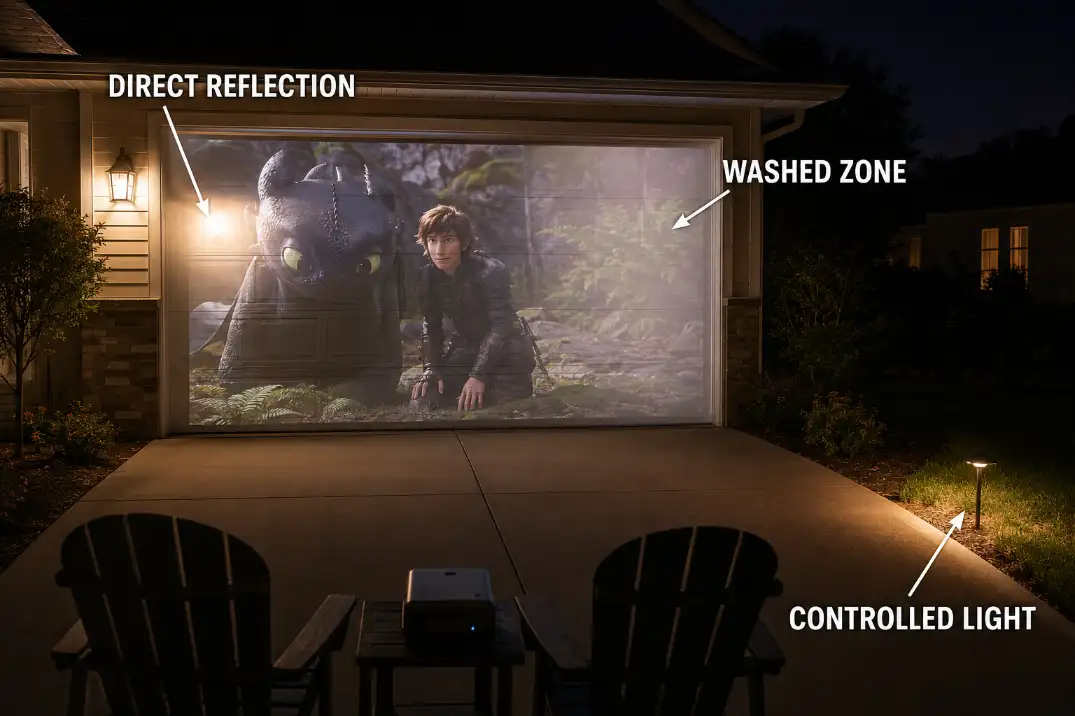
Treat the problem as correctable when the interfering light can be controlled without compromising the route people use. A fixed streetlight or neighboring fixture that creates a persistent central reflection is a stronger failure signal. Focus changes and keystone correction will not remove it.
Projector Angle Problems
Before blaming the garage door, square the lens to it. A door may be wide enough for a large picture while the driveway offers no good place for the projector. A vehicle, slope, walkway, or seating row can force the lens several feet off-center.
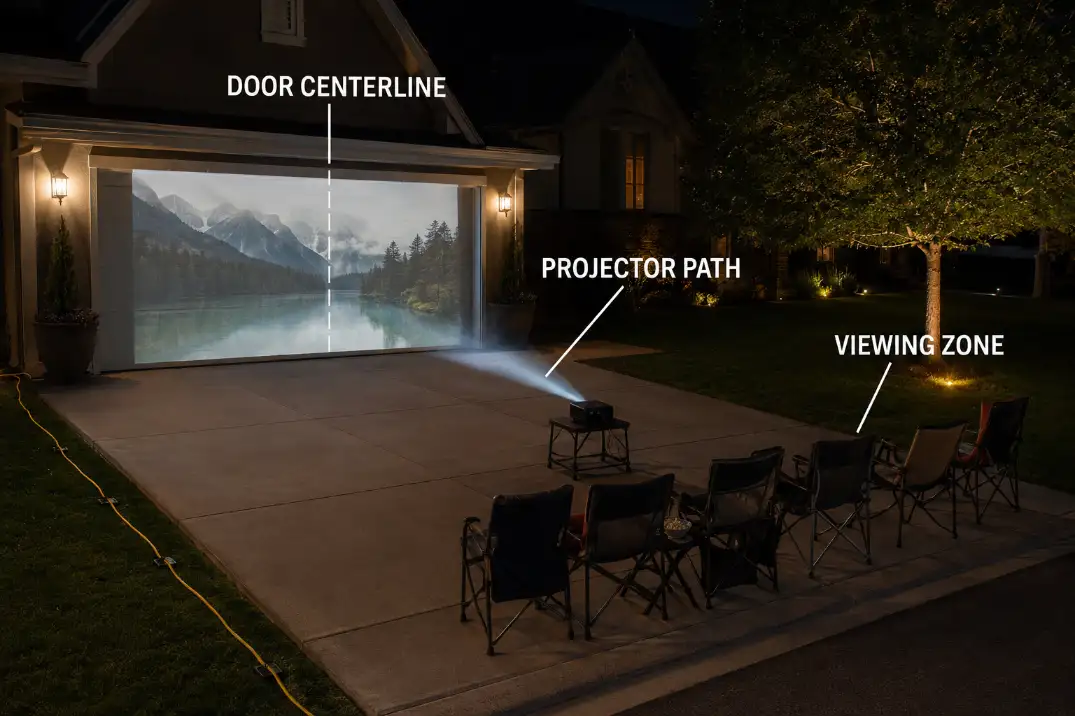
Begin with the intended image center. The projector lens should sit near that horizontal centerline and face the door directly. It should not merely point toward the door from a diagonal position. Sideways offset creates horizontal trapezoid distortion; a steep upward angle makes the top and bottom widths differ.
Move and level the projector before applying heavy digital correction. Keystone can square the visible border, but it may reduce the active image area and soften detail. It also cannot eliminate shadows or brightness changes created by physical panel recesses.
Alignment Check
Center the lens on the intended image.
Level the projector before correcting digitally.
Check all four image edges from the seats.
Use keystone only for the small error that remains.
Garage-door handles, tracks, and windows may prevent the image from occupying the exact center of the door. A sloped driveway can also tilt a stand that looked level indoors. Diagnose those physical constraints before treating projector settings as the cause.
For persistent trapezoid shapes, uneven focus, or an image that will not fit without extreme correction, work through the deeper outdoor projector placement problems before rejecting the garage door itself.
The geometry is workable when physical placement produces a nearly square image and only minor correction remains. If the only available projector position is far off-axis, the door may be a convenient surface in the wrong location.
Seating Distance From the Garage
The garage door works only if the viewing zone works with it. Sitting too close exaggerates panel lines, raised texture, focus inconsistencies, and small alignment errors. Moving farther back can soften those defects, but distance is not a free fix.
A farther row may reach the sidewalk, driveway apron, or street. It can also make subtitles and fine detail less engaging when the projected image is modest in size. The projector itself may occupy the only comfortable seating depth, leaving chairs squeezed between the lens and garage.
Start with the actual image rather than a universal viewing formula. Place the center seats where the picture feels comfortable, then inspect the outer chairs. Those side positions may reveal reflections or panel shadows that disappear on the centerline.
When lens distance is the main constraint, short-throw placement in a tight outdoor setup may preserve more room for chairs. It will not repair a textured door or remove a fixed reflection, so confirm that throw distance is the actual failure before changing the projection approach.
Keep chairs out of the projector beam, preserve garage and sidewalk access, and route power along the driveway perimeter. If improving the view requires blocking normal access or placing people at the driveway edge, the layout has failed even when the picture looks acceptable.
The layout succeeds when the center and outer seats work without forcing the projector, chairs, and walking route into the same narrow strip.
When a Real Screen Is Better
A real screen earns its place when it removes more than one persistent limit. One faint panel line is rarely enough. Deep panel distortion combined with a glossy finish, fixed reflections, and an off-axis projector position is a much stronger replacement case.
The garage door remains reasonable when its seams fade during playback, its color is light and neutral enough, nearby reflections can be controlled, and the lens can sit near the image centerline.
A dedicated screen may also create a better-positioned image rather than simply a larger one. It can move the picture away from fixed lights, door windows, decorative hardware, or the vehicle route. Hanging a bedsheet over the door is not automatically equivalent: wrinkles, transparency, movement, and attachment to moving door parts introduce separate limits.
Use, Adjust, or Replace
- Shallow seams fade from the seats: Use the garage door.
- One seam crosses the image center: Test a small image-position adjustment.
- Deep panels distort faces in every position: Use a real screen.
- One controllable fixture creates glare: Test redirected or reduced light.
- Fixed reflections remain across the main image: Use a real screen in a different position.
- Projector and chairs fit only by blocking access: Use a better-positioned screen layout.
When the door fails the surface, light, and geometry tests together, planning a more repeatable backyard movie setup is more useful than continuing to correct a location that cannot support the picture and seating at the same time.
Make the final judgment after full darkness from the real seats. Keep the door when its flaws recede into the movie. Adjust it when one identifiable condition controls the result.
Move to a dedicated screen when the same defects survive sensible image positioning, light control, and physical projector alignment.
Keep projection equipment and temporary materials independent of the moving door system; the U.S. Consumer Product Safety Commission outlines federal automatic garage-door operator requirements.